


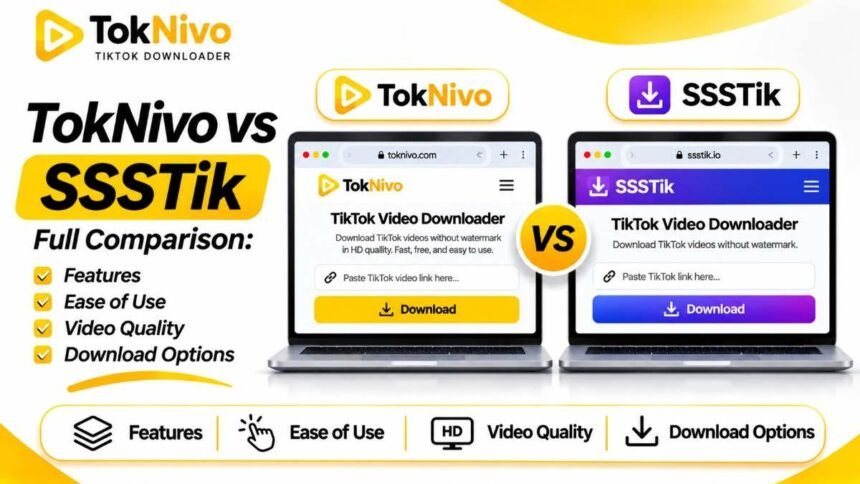
You have a TikTok link and want to save the video. Two names come up: TokNivo and SSSTik. Both offer browser-based ways to paste a link and download available TikTok media. Both describe free video downloads without a watermark, MP3 options, and access from phones or computers. The more useful question is what you need to save: a straightforward MP4, a soundtrack, a photo carousel, a Story, or a still frame from a video.
This comparison uses the features each service describes on its own pages as of September 2026. It is not a timed speed test or a guarantee that any particular TikTok URL will produce the same result on both sites. Actual options can vary by post, TikTok access settings, source media, and browser. The aim is to help you choose a sensible starting point and know what to check after a download.
TokNivo vs SSSTik at a glance
| Question | TokNivo | SSSTik.io |
|---|---|---|
| Main approach | Paste a TikTok link into a browser tool; its home page offers Video, Audio, Images and Video to Image selections. | Paste a TikTok link into a browser tool focused on video download, with linked MP3 and Stories pages. |
| Video downloads | Advertises MP4 video without a watermark and available quality selections. | Advertises MP4 video without a watermark and HD quality. |
| Audio | Advertises MP3 and additional formats, including WAV, OGG and AAC. | Has a dedicated MP3 page; it notes that M4A may be offered and some tracks may have no audio link. |
| Photo posts and slideshows | Dedicated Photo and Slideshow pages; the slideshow page describes individual photos and a ZIP export. | Its Stories page also describes saving photos and slideshows. |
| Stories | Dedicated Story Downloader linked from its home page. | Dedicated TikTok Stories page. |
| Still frame from a video | Dedicated Video to Image feature for choosing a frame. | No equivalent frame extraction feature was identified on the SSSTik pages reviewed. |
| Account or software | Describes browser use without a TokNivo account or installation. | Describes browser use without a TikTok account or extension; also links to an optional mobile app. |
| What remains unverified here | Real-world download speed, uptime and the availability of each advertised format for a given link. | Real-world download speed, uptime and the availability of each advertised format for a given link. |
These entries reflect each site’s published descriptions, not an independent benchmark. For instance, TokNivo lists resolution labels up to 8K, but that does not mean an arbitrary TikTok video contains an 8K version. SSSTik describes HD MP4 downloads and states that higher resolution is offered if available. For either tool, inspect the resolution of the file you actually receive.
The basic video workflow is similar.
On either site, the starting point is the same: open the TikTok post, tap Share → Copy link, paste that link into the downloader, and choose an available result. On a laptop, you can often copy the address of the specific post from your browser. A creator’s profile link is less useful because it does not identify the particular video you want.
TokNivo places a TikTok URL input and Video, Audio, Images, and Video to Image controls on its main page. Its instructions ask you to select a tab, paste the link, and download. SSSTik places a URL input on its home page and describes a three-step flow: find the video, copy the link, and save it through the site. Both describe use on mobile and desktop browsers.
For someone saving one public MP4, either workflow is simple on paper. The practical test is the result for your link. Does the file download? Does it have sound? Does it play all the way through? Does its resolution match the option you selected? If a button opens the video in a new tab, your browser’s download or save control may be needed. A successful preview is not the same as a file saved on your device.
Video quality and watermark options
TokNivo’s home page lists video quality choices from 360p through 8K and advertises clean MP4 files. SSSTik advertises HD MP4 without a watermark and says it provides a higher-quality option if that version is available for the source. Those are the sites’ claims about their offerings, not proof that both can fetch every rendition of every post.
If resolution matters, check the downloaded file itself. On a computer, open its properties or media information to see dimensions such as 720 × 1280 or 1080 × 1920. On a phone, the file information panel or a video editor may show them. The presence of a “4K” or “8K” label on a site cannot add real detail to a source that was uploaded or served at lower quality.
Also inspect the picture rather than relying only on the label. A file can have large pixel dimensions and still look soft after compression. Conversely, a smaller file may be entirely adequate for offline viewing on a phone. If you are downloading your own work for editing, the original camera or editing file remains the best source when you still have it.
Watermark choices deserve the same check. Both sites advertise no-watermark downloads. Save a sample of your own accessible video and examine the result. An option may differ by post or change as TikTok changes how it serves media. Removing a watermark from someone else’s clip does not transfer the right to repost it.
Audio: MP3 and other available formats
If you only need a TikTok sound, TokNivo’s main page has an Audio selection and advertises MP3, WAV, OGG, and AAC formats. SSSTik has a dedicated TikTok MP3 downloader that walks through copying a video link and downloading the audio result. Its page explicitly warns that an M4A link may sometimes appear instead of MP3, or that an audio link may be unavailable for a particular track.
That distinction is useful if your editing software requires a specific format. Check the actual downloaded file’s extension and whether it plays. Do not assume a format listed on a marketing page will always be offered for every post. If you need an MP3 but receive M4A, decide whether your player or editor can use it before looking for a conversion method.
Music rights are separate from file access. A sound that plays within TikTok may be licensed for use inside the platform, while a different use in an advertisement, podcast, or other video could require additional permission. If the audio belongs to someone else, confirm the rights before incorporating it into published work.
Photo posts and slideshows: both offer a route
A TikTok slideshow is a set of photos, often presented with a sound. It is easy to assume a video downloader will always return the exact images you want. Start by identifying whether your link points to a photo post or a video. If it is a carousel, count the slides before downloading so you can check the result.
TokNivo has separate Photo Downloader and Slideshow Downloader pages. Its slideshow page describes saving individual images and exporting selected images as a ZIP. That can be convenient when you need every slide as a separate file, in order.
SSSTik’s Stories page also discusses TikTok photos and slideshows, including pasting a slideshow link to save it. Its page describes a different presentation of this task, so check the output rather than assuming it will match TokNivo’s set of individual pictures or ZIP. If you need editable photo files, make sure that is what you actually saved.
TikTok itself may offer Share → Save photo when the creator allows downloads. That native option can be the simplest route for an eligible photo post. If the creator does not permit the save, respect that setting and avoid a tool that asks for credentials to bypass restricted content.
Stories: save while the content is live
Both brands have a dedicated route for TikTok Stories: TokNivo links to a Story Downloader, while SSSTik has its own Stories page. The important constraint is the Story itself. TikTok says Stories are available for 24 hours, and a creator may delete one earlier. A downloader cannot guarantee recovery after the content is no longer available through an accessible link.
Open the exact Story and copy its link if TikTok provides that option. Paste it into the relevant Story page, review the available result, and save it promptly. A profile URL and a link to an individual Story are not always interchangeable. Do not rely on claims of universal, anonymous access to private or expired Stories; assess the actual content and the creator’s settings.
For your own Stories, keeping the original photo or video on your device is more dependable than relying on an external download after posting. If you manage a brand account, add original media files to your normal content backup workflow before the Story goes live.
A distinctive TokNivo tool: video to image
Sometimes your goal is neither a full video nor a TikTok photo post. You may need one still frame from a tutorial, a visual reference, or a particular moment in a clip. TokNivo’s Video to Image Converter is designed for this: its site describes moving through a video timeline and saving a selected frame as an image.
That is different from saving a photo carousel. A frame extracted from video can only reflect the quality of the video at that moment; it cannot recover the original still photo if the creator first converted it into a clip. For a clean copy of your own design, start with the original image file if it still exists.
The SSSTik pages reviewed for this comparison do not describe a matching frame-by-frame converter. This is a documented difference between the reviewed pages, not a claim that no related tool could ever be added to the site.
Which interface should you try first?
Choose based on your task rather than on an unsupported claim that one site is universally faster or better:
- Saving a standard TikTok video: Both describe a paste-link MP4 workflow. Try the one whose result page gives you the file you need, then verify the file on your device.
- Saving an MP3 or checking alternative audio formats: TokNivo advertises several audio formats; SSSTik provides a dedicated MP3 page and openly describes possible M4A or missing-audio results.
- Saving every photo in a carousel: TokNivo’s dedicated slideshow page describes individual downloads and ZIP export. SSSTik also discusses photo and slideshow downloads on its Stories page; inspect how its output is presented for your link.
- Saving a Story: Both have a Story page. The priority is getting an accessible link before the Story disappears.
- Capturing a precise video frame: TokNivo describes a dedicated Video to Image workflow.
If the first service does not return a usable file, first check the TikTok link and post visibility. Switching sites will not solve a deleted post, a private account, or an unavailable source file. If the post is yours, use your original media when possible.
Safety, privacy and creator permissions
Neither site needs your TikTok password for the ordinary public-link workflow it describes. Be cautious if you land on a lookalike domain, an unexpected login screen,n or a page demanding a verification code. Check the address carefully: this comparison is about toknivo.com and ssstik.io. Similar-sounding domains may belong to different operators.
Both sites describe free use. This article does not independently verify their server-side data handling, download speed, or long-term availability. If privacy is especially important to you, read each service’s current privacy policy before pasting a link and avoid submitting content that is not meant to be public.
TikTok’s own guidance says native downloads depend on whether the creator permits them. Even where a public link produces a downloadable file, possession of that file is different from permission to use it in a campaign, repost it as your own, or monetize it. Save your own originals where possible, and ask other creators before republishing their work.
Frequently asked questions
Is TokNivo better than SSSTik for TikTok videos?
Both advertise free browser-based video downloads without a watermark. The better choice for a particular video is the one that returns an accessible, playable file in the format and quality you need. No controlled speed or reliability test was performed for this article.
Does SSSTik download MP3?
Yes. SSSTik has a dedicated MP3 page. It also notes that a result might sometimes be M4A or that an audio link might not be available for a particular TikTok track.
Can TokNivo download photos and slideshows?
TokNivo has dedicated photo and slideshow pages. Its slideshow page describes saving individual photos or selected images in a ZIP. Check the returned files to confirm the full set is present.
Can SSSTik save TikTok Stories and photos?
SSSTik has a Stories page that discusses saving Stories, photos,s and slideshows. Whether a particular result is available depends on the accessible post and the output offered by the site.
Do I need a TikTok account or an app?
Both sites describe a browser-based paste-link workflow for accessible posts. SSSTik also links to an optional app. Some TikTok content may still require account access or be limited by privacy settings; a public downloader cannot override those limits.
Does either tool guarantee 4K or 8K downloads?
No particular video is guaranteed to be available at those resolutions. TokNivo lists quality selections up to 8K, while SSSTik describes HD and higher quality when available. Check the actual dimensions of the downloaded file.
Can I download a private TikTok video with either service?
Do not expect a public-link downloader to retrieve private or audience-restricted content. SSSTik explicitly says it cannot access private accounts. Ask the creator for an authorized copy if you need one.
Final choice
For a simple public TikTok MP4, TokNivo and SSSTik have much in common. TokNivo’s documented advantage is its clearly separated photo, slideshow, and video-to-image workflows, alongside its listed audio choices. SSSTik provides a direct video workflow plus dedicated MP3 and Stories pages, and it is explicit about some audio and private-account limits.