


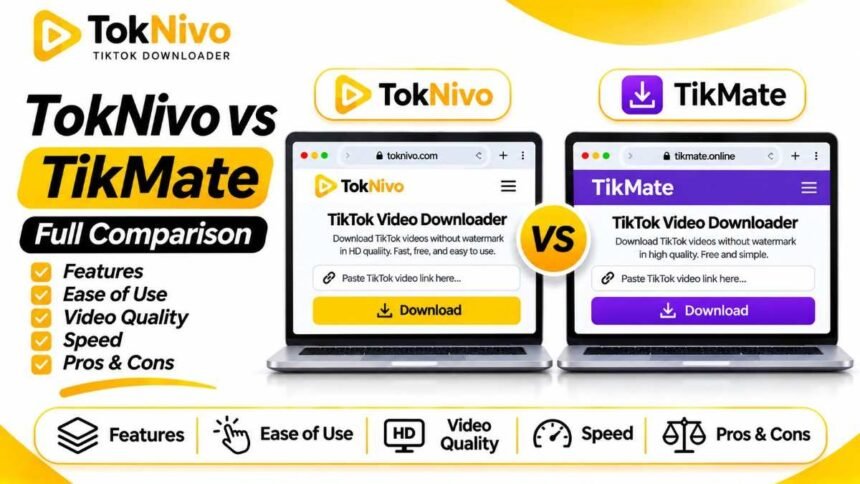
Scope of this review: “TikMate” is used by several websites. This article compares TokNivo.com with TikMate.io, whose published homepage and FAQ were reviewed in September 2026. It does not assess similarly named domains or Android apps. The feature comparison reflects the sites’ published information, not a timed speed test or independent security audit.
Copying a TikTok link takes seconds. Choosing what to do with it can take longer. You may want a plain MP4 for offline viewing, audio from your own video, individual pictures from a photo post, or a still frame for a project. TokNivo and TikMate both address the basic video download, but the tools they put in front of users are different.
TokNivo presents Video, Audio, Images, and Video to Image tabs on its homepage. It also links to dedicated story, photo, and slideshow tools. TikMate.io centers on pasting a TikTok video URL and saving a watermark-free MP4. It describes a browser workflow, Full HD output, and an optional progressive web app for Android. That makes the TokNivo vs TikMate choice fairly practical: do you mostly save ordinary videos, or do you regularly need other media from TikTok posts?
Below is a transparent comparison of the sites’ stated features, where their promises have limits, and which one may suit your workflow. Neither service grants permission to reuse someone else’s video simply because you can download it.
TokNivo vs TikMate at a glance
| Feature | TokNivo.com | TikMate.io |
|---|---|---|
| Main workflow | Paste a TikTok link and choose Video, Audio, Images, or Video to Image. | Paste a TikTok video URL and download an MP4 without a watermark. |
| Video output | Advertises watermark-free MP4 and multiple available quality options. | Advertises watermark-free MP4 and Full HD quality. |
| Audio download | Advertises MP3, WAV, OGG, and AAC extraction. | No separate audio download tool is described on the TikMate.io homepage reviewed. |
| Photos and slideshows | Advertises image and slideshow tools and JPG, PNG, and WEBP choices. | No photo or slideshow download workflow is described on the homepage reviewed. |
| Stories | Links to a dedicated story downloader. | No dedicated story tool is shown on the homepage reviewed. |
| Video frames | Advertises frame extraction into JPG or PNG. | No comparable frame tool is described on the homepage reviewed. |
| Android app option | Says the website works in a browser without an APK. | Offers browser use and describes an optional Chrome PWA that can be added to the home screen. |
| Other sources | Focuses its published tools on TikTok. | States support for TikTok, Musically, and Douyin links. |
The table reports what each website publishes, not a guarantee for every source link. “Not described” means that the feature was not listed on the TikMate.io page reviewed; it is not proof that no related feature could exist elsewhere. See the TokNivo homepage and TikMate.io homepage for their current descriptions.
How the two download workflows compare
The starting point is the same: open a TikTok post, tap Share, and choose Copy link. You can do this in the TikTok app or, where the sharing controls are available, on TikTok’s website. The resulting URL points the downloader to a specific post. Copying a profile URL or a fragment of a link may fail because neither site can identify the video you intended.
On TokNivo, choose the type of file first. Its homepage has separate Video, Audio, Images, and Video to Image tabs near the link field. If you have a standard video and want an MP4, choose Video. If you are dealing with a photo post or only need sound, select the appropriate tab before processing. The labeled choices help avoid downloading the wrong kind of file.
TikMate.io presents a more focused sequence. Paste the URL into its input field, press Download, and select Download Without Watermark for the resulting MP4. Its instructions describe that three-step route and call out using only the browser for the basic service. If all you need is a copy of a single public clip, there is little to learn beyond copying and pasting the link. TikMate.io instructions.
The site also describes a progressive web app, or PWA, for Android. A PWA adds a website-like experience to your home screen through Chrome. It is optional for the browser download workflow. TikMate.io additionally promotes an app route on its page; do not assume that a separate app or a similarly named Play Store listing has the same operator, features, or terms as the TikMate.io website.
Video and watermark options
Both sites describe a way to save a TikTok video without the visible watermark. TokNivo calls its video output a clean MP4; TikMate.io directs users to a Download Without Watermark action. For someone preserving their own content to make another edit, this can be convenient when the original file is no longer on the device. It also makes offline viewing less visually cluttered.
There is a practical distinction between a clean-looking file and ownership of the content. A clip may contain someone else’s performance, voice, images, or licensed music. Removing a logo does not give you the right to present it as your work. If you want to publish it in a campaign, on another social platform, or on a client’s page, get permission from the person who owns the relevant rights. When possible, ask for their original export instead; that can preserve both quality and a clear approval trail.
Neither site’s published feature list establishes that every TikTok post can be downloaded. TikMate.io’s FAQ explicitly identifies private, deleted, and region-limited videos as possible reasons a download fails. A public-link service cannot make a private account’s content legitimately public. If the source is inaccessible to you, ask the creator for the file rather than trying to work around their controls. TikMate.io FAQ
Video quality: Full HD, 4K, and 8K claims
TikMate.io advertises Full HD downloads. TokNivo lists a wider range of video quality options on its page, including 360p, 480p, 720p, 1080p, 2K, 4K, and 8K, while describing those upper choices as dependent on source availability. Those are differences in the published menus and claims, not proof that one site produces a sharper result from every TikTok link. TokNivo quality description · TikMate.io features
The source video sets the useful ceiling. An upload recorded or served at a lower resolution will not acquire genuine detail from a button labeled 4K or 8K. Upscaling can increase pixel dimensions without making small text or faces clearer. Before using a downloaded video in an edit, inspect the actual MP4: its dimensions, compression artifacts, sound, and playback on the screen where it will appear.
For casual viewing on a phone, the largest file may be unnecessary. A smaller version can save mobile data and device storage. If the video is your own and you need the best possible master for an edit, first check the camera roll, cloud backup, or editing project that produced it. A downloader is a convenient recovery path, but an original export usually gives you more control.
We have not run an identical-post quality test of both services. Therefore, it would be misleading to declare either the universal quality winner. If quality is the deciding factor for you, try the same accessible post on both websites and compare the resulting files rather than relying on their headline resolution labels.
Audio, photos, slideshows, and frames
This is where the published feature sets diverge most clearly. TokNivo advertises an Audio tab with MP3, WAV, OGG, and AAC output, plus image downloads for TikTok photo and slideshow posts. It also lists a Video to Image feature that lets you choose an individual frame and save it as JPG or PNG. Dedicated story, photo, and slideshow pages appear in its site navigation. TokNivo feature list
Those options serve different jobs. If you saved a tutorial video because you only need to listen to its spoken instructions, an audio file may be more convenient than an MP4. If a TikTok post consists of several photographs, individual image files are more usable than a screen recording of the slideshow. If a designer needs one still of their own clip, a frame extractor is quicker than trying to pause the video and take a screenshot at exactly the right moment.
TikMate.io’s homepage is focused on video download. It does not describe an MP3 tab, photo-carousel extractor, story downloader, or frame-capture tool on the page reviewed. This makes its simple MP4 route appealing when those other outputs do not matter. If you frequently move among video, audio, and image tasks, TokNivo’s stated toolkit is more closely aligned with that pattern.
Do not confuse TikMate.io with other websites that carry TikMate in their domain. Some similarly named sites claim MP3, story, photo, or bulk features. Those statements cannot be assigned to TikMate.io without evidence that they belong to the same service. Confirm the exact URL before using a comparison table or following a tutorial.
Android, iPhone, and desktop use
TokNivo describes browser support across Android, iPhone, and desktop devices, including Chrome and Samsung Internet for Android. TikMate.io’s instructions explicitly support a browser workflow and discuss Android and iPhone in its FAQ. Both approaches start with a copied link and avoid requiring a separate installed app for a basic web download. TokNivo device guidance · TikMate.io device guidance
TikMate.io’s optional PWA may appeal if you repeatedly visit the same website from an Android phone and want a home-screen shortcut. TokNivo’s homepage already presents its multiple tools within the browser. A shortcut is a matter of convenience, not an indicator that the output will be better or that a link will work when the original post is unavailable.
After downloading on Android, check your Files app and its Downloads area, or review recent downloads in Chrome. On iPhone, check the browser’s download view and the Files app. On desktop, open the browser’s download history or your chosen Downloads directory. File destinations depend on your browser and device settings, so the folder shown by one tutorial might differ on yours. Google’s Chrome help for Android downloads explains how to locate saved files.
What about TikMate’s Douyin support?
TikMate.io says it supports Douyin, the Chinese short-video service, in addition to TikTok and Musically links. That could matter if you work with accessible Douyin posts and need a browser-based video workflow. TokNivo’s reviewed homepage positions its tools around TikTok and does not advertise Douyin support. TikMate.io features · TokNivo homepage
Treat that as a site-stated capability, not a promise that every Douyin URL can be processed from every country or device. Link access, post restrictions, and service changes affect results. If Douyin is your main use case, test a link you are authorized to save and check the actual downloaded file. If TikTok photos, audio, or frame extraction are your priority, TokNivo’s published feature set is more relevant.
Pricing, sign-in, and trust
TokNivo describes its downloader as free, without account registration or a daily download limit. TikMate.io presents a browser video downloader without a required installation, and its homepage does not present a sign-in step in the described flow. These are useful points for an occasional download, but marketing copy alone cannot prove uptime, independent security, or the absence of future changes. TokNivo FAQ · TikMate.io homepage
For either service, check the address in the browser before pasting a link. Do not provide your TikTok password to a page whose ordinary instructions ask only for a post URL. If a button opens a new page, inspect it before proceeding. Read the current privacy and terms pages when you are deciding whether to use a third-party tool regularly, especially for work-related content.
TikTok itself provides a Save video option when the creator allows downloads. That is often the simplest starting point. TikTok explains that if the option does not appear, the creator may have disabled downloads. A third-party site should not be treated as permission to disregard a creator’s settings or to republish their work. TikTok download guidance
Which should you choose?
Choose TokNivo for a mixed-media TikTok workflow. The Video, Audio, Images, and Video to Image tabs make it easier to move among clips, sound, photo posts, and still frames. Its published site also has story and slideshow routes. If you are archiving your own work or gathering material you have permission to use in different formats, its broader stated toolkit is the main advantage.
Choose TikMate.io for a focused video workflow. Its homepage explains a direct paste-link-to-MP4 process and offers an optional Android home-screen PWA. Its stated Douyin support may be relevant if you need to test an accessible Douyin video link as well as TikTok videos.
Test both if the precise MP4 result matters. Use the same public video that you have permission to save, inspect the available choices, and play the files. Compare clarity, sound, and usability on your device. The number of features listed on a homepage does not by itself establish which tool will perform better for one specific link.
Frequently asked questions
Is TokNivo better than TikMate?
TokNivo lists more kinds of TikTok output on its homepage: video, audio, images, and frames. TikMate.io concentrates on watermark-free MP4 downloads and also states support for Douyin links. Choose according to the type of file you actually need.
Which TikMate website does this comparison cover?
This article covers tikmate.io. Other sites and apps use similar names and may publish different features, so check the exact domain before treating their claims as part of this comparison.
Can both download TikTok videos without a watermark?
Yes. Both sites advertise watermark-free video downloads for accessible posts. The result for an individual link depends on whether the source is available and whether the service can process it at that time.
Does TikMate.io download TikTok MP3 files?
The TikMate.io homepage reviewed describes watermark-free MP4 downloads and does not list a separate MP3 workflow. Other similarly named sites may advertise one. TokNivo explicitly advertises MP3 and several other audio formats.
Can TikMate.io download TikTok photos or stories?
The reviewed TikMate.io homepage does not describe a dedicated photo or story tool. TokNivo links to these tools on its site. A missing homepage listing is not a definitive test of every possible page or future feature.
Can I use both without installing an Android app?
Both describe browser-based workflows. TikMate.io additionally describes an optional PWA for Android. The basic link-paste process does not require you to install a separate app.
Does a watermark-free download mean I can repost it?
No. The appearance of the saved file does not determine who owns the video, music, narration, or images. Ask for permission before republishing or using another creator’s content commercially.
Final verdict
For a person who wants one place to work with TikTok videos, audio, photos, and frames, TokNivo offers the broader published toolkit. For someone who primarily wants a straightforward watermark-free MP4 and may value the optional Android PWA or stated Douyin support, TikMate.io is a focused alternative.
Neither tool can turn a low-quality source into a genuine high-resolution original or give you rights to someone else’s work. Begin with TikTok’s built-in save option when available; then, for a public post you are allowed to use, choose the downloader whose actual file options match your task. To try TokNivo’s media tabs, visit toknivo.com.