


TikTok videos often contain useful audio: original voiceovers, interviews, language lessons, sound effects, spoken reminders, and music. If you created the video yourself or have the owner’s permission, saving only the audio can be more convenient than keeping the full video file.
An MP3 takes less storage, works in most media players, and is easier to organize for offline listening. You may also want an audio-only copy of your own narration, podcast excerpt, product explanation, or other original TikTok content.
TokNivo provides a browser-based way to process a supported public TikTok link and select an available audio option. You do not need to install unfamiliar software or provide your TikTok password.
This guide explains how to convert TikTok videos to MP3 online free, where to find the downloaded audio, what determines its quality, and how to solve common conversion problems.
Quick Answer: How to Convert TikTok to MP3
- Open the public TikTok video you are authorized to save.
- Tap Share, then choose Copy link.
- Open TokNivo.com in your browser.
- Paste the copied TikTok URL into the input field.
- Select the Audio tab.
- Tap Download and wait for the link to be processed.
- Choose Download MP3 when that option is available.
- Find the audio in your browser’s Downloads list or device Downloads folder.
Available options depend on the source post, browser, device, and current service availability.
What Is a TikTok-to-MP3 Converter?
A TikTok-to-MP3 converter separates the audio track from a supported video and provides it as an audio file. MP3 is widely compatible with Android phones, iPhones, Windows computers, Macs, tablets, media players, and many editing applications.
Converting a file does not improve the original sound. If the source contains compressed, distorted, or noisy audio, the MP3 will usually retain those limitations. A higher bitrate cannot recreate missing detail.
Audio-only files can be useful for:
- Backing up your own TikTok voiceovers
- Saving an authorized educational explanation
- Listening to a permitted interview offline
- Keeping your own sound effects or original music
- Moving your own narration into an editing workflow
- Creating an accessible audio reference from content you control
Public availability does not remove copyright. Always make sure you have the right to download and use the audio.
How to Convert TikTok Videos to MP3 With TokNivo
The process is designed to work directly in a modern web browser.
Step 1: Find the TikTok Video
Open TikTok and locate the video containing the audio you want. Confirm that it is public and that you created it, received permission, or otherwise have the legal right to save it.
Do not attempt to access private, deleted, age-restricted, paid, or otherwise restricted content through a downloader.
Step 2: Copy the TikTok Link
Tap the Share arrow on the video. Select Copy link from the sharing panel. The post’s URL will be placed on your clipboard.
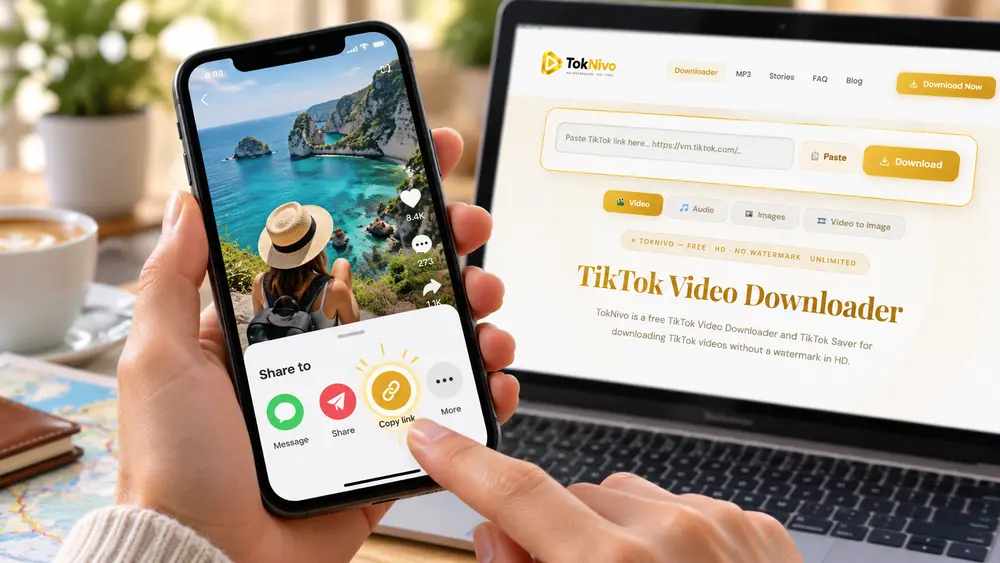
Copy the link from the individual video rather than the creator’s profile. If Copy link is not immediately visible, swipe through the available sharing actions.
Step 3: Open TokNivo and Select Audio
Open Chrome, Safari, Firefox, Edge, Samsung Internet, or another current browser. Visit https://toknivo.com/ and select the Audio tab.
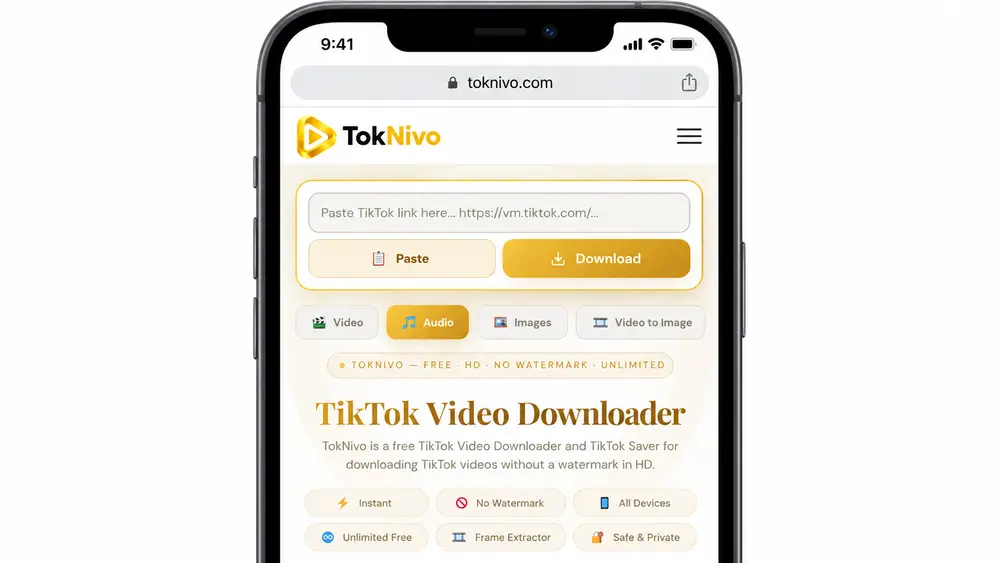
TokNivo should not require your TikTok username or password to process an eligible public URL. Leave any unrelated page that requests social-media credentials, unknown browser extensions, configuration profiles, or APK files.
Step 4: Paste the Video URL
Tap or click inside the TokNivo input field. Choose Paste, confirm that the complete link appears, and press Download.
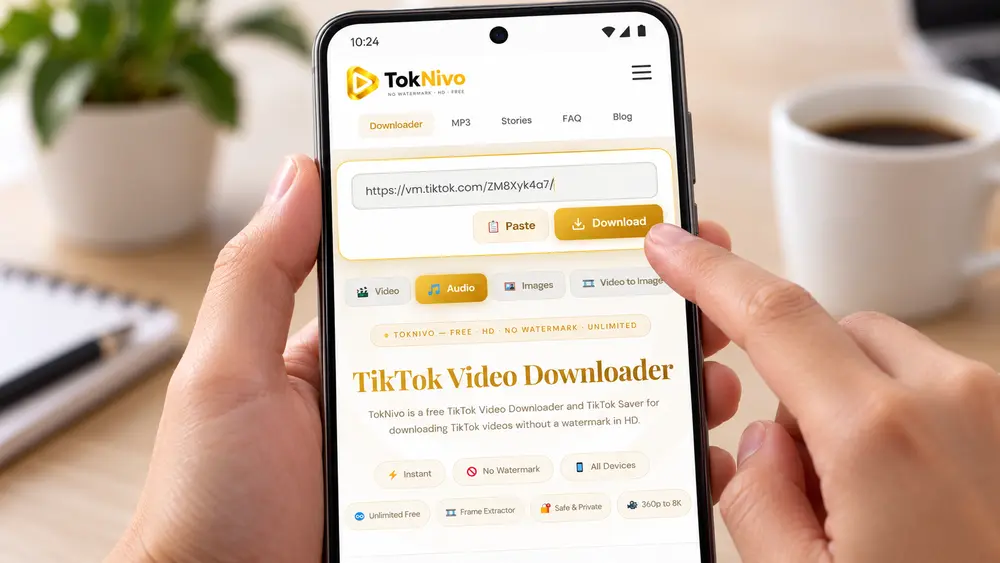
The service will analyze the public URL and identify the media options available from the source. Processing time can vary with the post, connection, and current traffic.
Step 5: Download the Available MP3
When the results appear, preview the media information if available and select Download MP3.
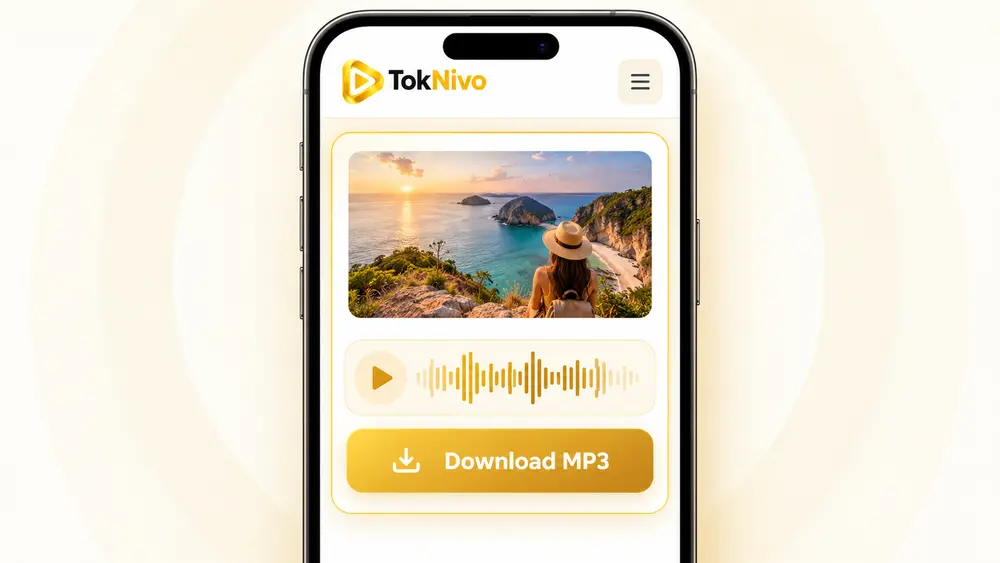
Your browser may start the download immediately or open the audio in a preview. If a preview opens, use the browser’s download control or menu to save the file.
Step 6: Find and Play the Audio
Open your browser’s Downloads section or the Downloads folder on your device. Tap the MP3 to play it in a supported audio application.
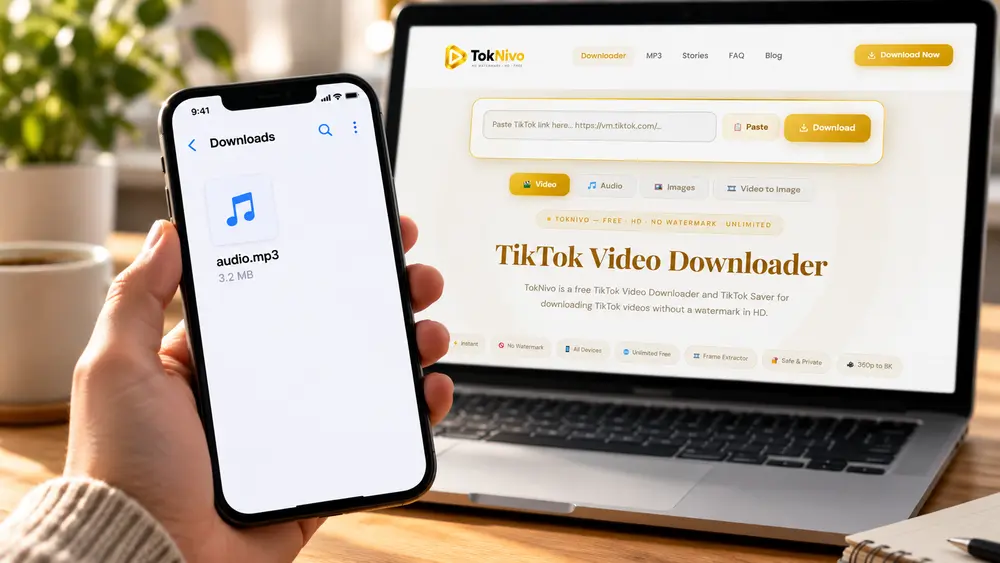
Rename files you own with a descriptive title to make them easier to organize. Avoid removing creator information in a way that misrepresents someone else’s work.
Convert TikTok Videos to MP3 on Android
On Android, open the TikTok app, copy the post link, and visit TokNivo through Chrome or another browser. Select Audio, paste the URL, process it, and choose an available MP3 download.
To locate the result in Chrome, open the three-dot menu and select Downloads. You can also use Files by Google or your phone manufacturer’s file manager and open the Downloads folder.
If the MP3 does not appear in your music library, open it directly from Downloads or move it to the Music folder.
Convert TikTok Videos to MP3 on iPhone or iPad
Copy the TikTok link and open TokNivo in Safari. Select Audio, paste the URL, and download the available MP3.
Safari usually places downloaded files in its Downloads list and the Files app. Open Files > Browse > Downloads to locate the audio. Depending on your settings, the folder may be stored under iCloud Drive or On My iPhone.
You can play the file in Files or open it with another compatible audio application. An MP3 normally does not move into Apple Music automatically.
Convert TikTok Videos to MP3 on PC or Mac
Open the TikTok post in a browser and copy its address. Visit TokNivo, select Audio, paste the link, and choose the MP3 option after processing.
The file will normally appear in the browser’s configured Downloads folder. On Windows, open File Explorer and choose Downloads. On macOS, open Finder and select Downloads.
For your own content, consider organizing files by project, date, speaker, campaign, or subject.
What Determines TikTok MP3 Quality?
The resulting audio cannot be better than the source. TikTok and other online platforms may compress media during upload and playback, so an MP3 extracted later may already be based on compressed audio.
Three factors matter:
- Source quality: Clean original audio produces a better result than noisy or distorted sound.
- Available stream: A converter can only use the audio made available for that post.
- Additional conversion: Repeatedly exporting a lossy file can reduce quality further.
Avoid assuming that a large bitrate label guarantees better sound. Re-encoding low-quality audio at a higher bitrate increases the file size but does not restore lost detail. Creators should keep their original WAV, MP3, or editing-project files before publishing.
Common TikTok-to-MP3 Problems and Solutions
The Link Is Invalid
Copy the URL again from the video’s Share menu. Paste only the URL and remove any surrounding message text. Confirm that the original post still exists and is publicly accessible.
No MP3 Option Appears
The post may be unavailable, restricted, deleted, or unsupported. Refresh once, verify the link, and try an updated browser. Do not attempt to bypass privacy or regional controls.
The Download Button Does Nothing
Check your internet connection and allow ordinary downloads in the browser. Temporarily disable a strict script blocker for the page, clear the failed result, or try another current browser.
The Audio Opens but Does Not Save
Use the download icon in the audio preview or open the browser menu and choose its save or download command.
The MP3 Has Low or Distorted Sound
Listen to the original post. If the source is noisy or heavily compressed, conversion cannot repair it. Avoid converting the downloaded file repeatedly.
I Cannot Find the MP3
Check the browser’s Downloads history first. Then open the Downloads folder through Files on Android, Files on iPhone, File Explorer on Windows, or Finder on macOS.
Is It Safe to Use an Online TikTok MP3 Converter?
A browser-based tool avoids installing additional software, but normal security precautions still matter:
- Visit the correct HTTPS website address.
- Never provide your TikTok password.
- Do not install an APK or extension just to process a public link.
- Keep your browser and operating system updated.
- Expect an audio file such as MP3 not an executable program.
- Review the service’s current privacy policy and terms.
If a page opens unrelated download buttons, close it and return to the official TokNivo page.
Is Converting TikTok Videos to MP3 Legal?
MP3 conversion does not transfer ownership. Music, recordings, performances, spoken material, and other creative works can be protected by copyright.
Convert only:
- Audio you created
- Content for which you received permission
- Public-domain material
- Appropriately licensed audio
- Material whose use is otherwise allowed under applicable law
Do not redistribute copyrighted songs, sell unauthorized copies, conceal the original creator, or use downloaded audio commercially without the required rights. Copyright exceptions differ between countries and depend on context. When uncertain, ask the rights holder or obtain qualified legal advice.
Frequently Asked Questions
Can I convert a TikTok video to MP3 without installing an app?
Yes. TokNivo works through a supported browser, so you can process an eligible public link without installing a separate downloader application.
Does TokNivo work on Android, iPhone, PC, and Mac?
The browser-based workflow can be used on current mobile and desktop browsers. File locations differ by device.
Do I need a TikTok account?
You should not need to enter TikTok credentials to process a supported public URL. Never share your password with an unrelated downloader.
Can I convert private TikTok videos?
No. Do not use downloading tools to bypass privacy settings or other access restrictions.
Where will the MP3 be saved?
Most browsers save it in Downloads. On iPhone, check Safari Downloads and the Files app. On Android, check Chrome Downloads or your file manager.
Does converting to MP3 remove the video?
The downloaded result contains the audio track without the visual portion. It does not delete or modify the original TikTok post.
Can converting to MP3 improve the audio?
No. Conversion cannot add genuine quality that is missing from the available source.