


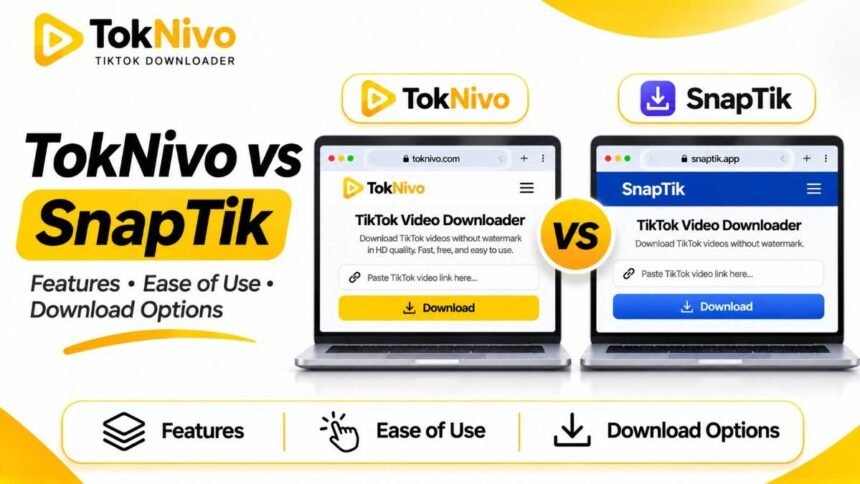
If you have searched for a TikTok video downloader, you have probably seen both TokNivo and SnapTik. Their basic promise sounds similar: paste a TikTok link into a website and save an available video without installing a desktop program. That similarity makes a simple “which is faster?” answer tempting, but speed and file quality depend on the post, your connection, the device, and the available source files.
This comparison looks at what each service currently describes on its own website. SnapTik here means snaptik.app, since similarly named sites exist. TokNivo means toknivo.com. We did not run a controlled download benchmark, so this guide does not declare a universal winner for speed, reliability, or output quality. Instead, it helps you choose based on the type of file you need.
Quick comparison
| Need or feature | TokNivo | SnapTik.app |
|---|---|---|
| Browser-based TikTok video download | Advertised | Advertised |
| No-watermark MP4 | Advertised for supported videos | Advertised for supported videos |
| No separate browser installation required | Advertised | Advertised |
| MP3 audio | Advertised, alongside WAV, OGG, and AAC | MP3 and MP4 are documented in its usage guide |
| Individual slideshow photos | Advertised | Advertised |
| Slideshow images in one ZIP | Documented on TokNivo’s slideshow and photo pages | Not confirmed in the SnapTik pages reviewed |
| Slideshow rendered as MP4 with synced music | Not confirmed in the TokNivo pages reviewed | Explicitly documented |
| Video frame extraction as images | Dedicated feature documented | Not confirmed in the SnapTik pages reviewed |
| TikTok Stories | Dedicated tool listed | Dedicated tool documented |
“Not confirmed” does not mean a service cannot do it. It means the reviewed pages did not provide enough evidence to make that claim. Features and interfaces may change, and a specific post may return different options from those described in general marketing copy.
What both downloaders have in common
For an ordinary public TikTok video, either service presents a familiar workflow. Open the post, copy its link, paste that URL into the downloader, and select a result when one is available. Both advertise browser use across phones and computers, free access, and video downloads without a visible TikTok watermark. SnapTik describes MP4 and HD output; TokNivo lists multiple video resolutions and MP4 output. These are the companies’ descriptions of their services, not a guarantee that every post has every option.
Neither website needs your TikTok password for the public-link workflow described here. Check the domain in your browser before pasting a link, especially because many sites use names resembling popular downloaders. A video that is private, deleted, or otherwise inaccessible should not be assumed to work on either tool simply because you know its URL.
There is also a difference between downloading and having permission to reuse. A clean MP4 is still someone else’s work when you did not make it. Ask the creator before reposting, editing for public distribution, or using the clip in a campaign. Music and other material in a post may have separate rights.
Where TokNivo may be more useful
TokNivo positions itself as an all-in-one TikTok media tool. Its homepage lists video, audio, images, and video-to-image options. The video section describes several resolution choices, while the audio section lists MP3, WAV, OGG, and AAC. A dedicated frame extractor is intended for capturing a still from a particular moment in a video. These options are useful when you need more than a playable MP4.
For example, suppose you own a tutorial video and want a still image for a project note. Downloading an entire clip and taking a screen capture can include player controls or a reduced-size preview. A frame extraction tool is designed to save a selected frame as an image. The result still depends on the original video’s detail; extracting a frame cannot turn a blurry recording into a sharp photograph.
TokNivo also describes a way to save individual photos from a TikTok slideshow or select photos for a ZIP archive. A ZIP keeps the files together so you can extract and organize them on your computer or phone. This is useful when you want each slide as an image rather than a video rendition of the slideshow. Check the result before downloading to ensure all expected slides appear.
These features make TokNivo a reasonable first choice when your task involves different media types: an MP4 today, a separate audio file tomorrow, or photos from a carousel later. The documented range is its clearest distinction in this comparison; it is not proof that TokNivo processes a particular post faster than SnapTik.
Where SnapTik may be more useful
SnapTik’s core site is straightforward about no-watermark MP4 video downloads in a browser. Its guide also mentions MP3, and it has separate pages for TikTok Stories and photo slideshows. A user who wants a regular video file can start with that familiar copy, paste, download flow without navigating a broad set of media tools.
One distinctive feature described on SnapTik’s slideshow page is a rendered MP4 made from slideshow photos with the music synchronized. The same page says individual slideshow photos can be downloaded. If you want a single video that plays through the photos with sound, that documented export may fit better than a ZIP of still images. Conversely, if you want to edit or archive each photo separately, individual images are the more appropriate format.
SnapTik promotes a mobile app on parts of its site, but the website also says you can use its downloader in a browser without installing software. Do not confuse the optional app with a requirement for the basic web workflow. If you prefer to keep additional apps off your phone, start with its browser version.
Which produces better HD quality?
Neither service can create detail that the source does not contain. TokNivo lists options reaching 2K, 4K, and 8K when available, whereas SnapTik describes HD video downloads. Those labels alone are not an apples-to-apples quality test. A resolution menu can vary by post, and a larger pixel count does not necessarily mean a better picture if the source was already compressed.
For a fair comparison of a video you own or have permission to test, process the same public post on both sites. Download the highest genuinely available MP4 from each, then play both at the same size. Compare text edges, movement, audio, file dimensions, and file size. Note any watermark and whether the video plays all the way through. Do not judge from the thumbnail or from different videos.
We have not performed that test here. Until you test a post relevant to your work, the defensible answer is that quality depends on the available file, rather than one brand always producing sharper output.
Choosing by use case
You just need an offline MP4. Both services advertise a browser-based, no-watermark download workflow. Try the interface you find easier to use and verify the saved result.
You want sound as a separate file. TokNivo explicitly lists several audio formats. SnapTik’s how-to page mentions MP3. Check the current result screen for the specific format you need rather than assuming every post offers it.
You want all the photos in a carousel. Both describe individual slideshow photos. TokNivo documents a ZIP for selected photos, which can be convenient for a multi-image post.
You want a slideshow that plays with music. SnapTik explicitly documents a rendered MP4 with synchronized audio. A ZIP of photos is not an equivalent file.
You need a still from a normal video. TokNivo documents a video-to-image or frame extraction feature. That is different from saving pictures in a TikTok Photo Mode post.
How to test either tool safely
- Choose a public post you own or are authorized to save.
- Copy its exact TikTok post link, not a profile URL.
- Type the correct service domain yourself: toknivo.com or snaptik.app.
- Paste the link, review the file choices, and download only the format you need.
- Open the result and check its contents, resolution, sound, and completeness.
If a page asks for your TikTok password, payment information, a browser extension, or a “required” codec during a simple public-link download, stop and verify where you are. This check matters especially when a brand has lookalike domains elsewhere on the web.
FAQs
Is TokNivo better than SnapTik for TikTok videos?
For a standard MP4, both advertise browser-based, no-watermark downloads. TokNivo’s documented extra media tools may be more useful if you also want photos, multiple audio formats, or video frames. SnapTik documents a slideshow-to-MP4 option with synced music. The better choice depends on the format you need and the result from your particular post.
Is SnapTik only a mobile app?
No. SnapTik.app says its web downloader works in mobile and desktop browsers without installing software, although it also promotes an optional app.
Can either tool guarantee 4K or 8K?
No. TokNivo lists those resolution options where available, but the actual source and accessible files determine what you receive. Inspect the downloaded file rather than relying on the label.
Can I save a private TikTok through either website?
Do not assume so. A link does not grant access to a private or removed post. Ask the creator for a copy when you have permission and need the content.