


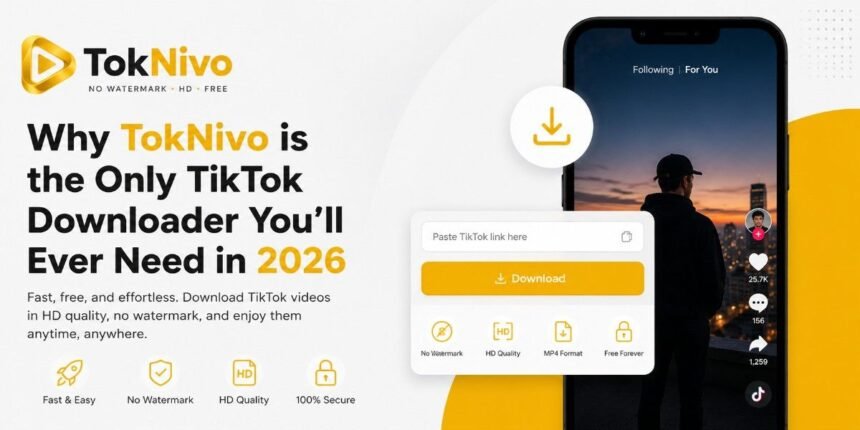
Late night, mindless scrolling, and suddenly something’s actually worth keeping. Could be a recipe, a workout tip, or one of those tutorials where someone explains a thing in 45 seconds better than any YouTube video ever has. You hit save. TikTok gives it back to you with its logo plastered on it as you asked for. You didn’t. Nobody does. That’s the whole reason TokNivo exists.
Getting a clean, watermark-free TikTok download has been weirdly difficult for years, considering how many people want to do it. The usual options aren’t great: random APKs that feel like a gamble, paid tools that charge you for something that should be free, sites that let you download five videos before cutting you off, or just accepting the ugly watermark and moving on. Most people end up doing that last one.
TokNivo skips all that. You open it in a browser, any browser, any device, paste a link, and you’re done. No account to make, nothing to download or install, no hidden paywall, three steps in. It handles video, audio, slideshow, photos, and even individual frames. All of it, free, from one tab.
So, what’s it actually like to use? And is it worth switching from whatever you’re using now? Let’s get into it.
What exactly is TokNivo?
TokNivo is a website. toknivo.com. You paste a TikTok link, choose what you want out of its full video, just the audio, photos from a slideshow, or a specific frame, and download it. That’s genuinely the whole thing. No login screen, no app to install, no browser extension. Open it, use it, done.
The part that actually makes it worth writing about is that nothing’s locked behind a subscription or a sign-up wall. Other tools make you create an account to get MP3 downloads, or limit you to a handful of videos per day unless you pay. TokNivo just doesn’t do that. Every format, every quality option, unlimited downloads, all free from the moment you land on the page.
6 Features That Make TokNivo Actually Worth Using
Here’s a breakdown of what the tool can do, and why each feature actually matters in practice:
1. No Watermark Download
Goes straight to TikTok’s source file, so what you get is the raw video, no floating logo, no username stamped on it. Just the actual clip.
2. 360p to 8K Quality
Choose your resolution from compact 360p files all the way up to 4K and 8K, whatever the original supports.
3. Audio Extraction
Sometimes the video doesn’t matter; you just want the sound. MP3, WAV, OGG, AAC, take your pick. Works for trending audio, background tracks, spoken stuff, whatever it is you’re saving.
4. Image & Slideshow Saves
TikTok photo posts don’t give you a great way to save images natively. TokNivo lets you grab each one in JPG, PNG, or WEBP properly, not a screenshot.
5. Frame-by-Frame Extractor
Scrub through a video timeline and capture any exact moment as a still image. Genuinely useful for designers and editors.
6. Completely Free, No Limits
No daily download caps, no subscription tiers, no login required. Free means free, forever.
“The frame extractor alone sets TokNivo apart, no other free tool lets you grab a specific second from a TikTok video as a clean image.”
How to Download a TikTok Video in 4 Steps
If you’ve never used TokNivo before, here’s exactly how it works. The whole process takes under a minute:
1. Find your video on TikTok
Open TikTok, app or browser, doesn’t matter. Get to the video, sound clip, or photo post you want to save.
2. Copy the link
On mobile: tap Share, then Copy Link. On desktop: just copy the URL from your address bar. That’s it.
3. Paste it into TokNivo
Go to toknivo.com, pick the right tab (Video, Audio, or Images), and paste your link into the input box
4. Choose quality and download
Select your resolution or format from the available options and click Download. Your file saves instantly, no watermark.
TokNivo vs Other TikTok Downloaders
There are quite a few TikTok downloader tools around, so let’s be real about how TokNivo compares to what most people usually end up using:
| Feature | TokNivo | Most Free Tools | TikTok’s Built-in Save |
| No Watermark | ✔ Yes | ✘ Often no | ✘ Always watermarked |
| HD / 4K / 8K Quality | ✔ Up to 8K | 720p max usually | Compressed quality |
| MP3 / Audio Download | ✔ MP3, WAV, OGG, AAC | MP3 only, sometimes | ✘ Not available |
| Frame Extractor | ✔ Yes | ✘ Almost never | ✘ No |
| Slideshow / Image Save | ✔ JPG, PNG, WEBP | Rarely | ✘ No |
| Login Required | ✔ No account needed | Sometimes required | TikTok account required |
| Daily Download Limits | ✔ Unlimited | Often 5–20/day | Restricted |
| Works on iPhone / Android | ✔ Browser-based | Mixed | App only |
The gap is pretty clear. Most competing tools give you one or two things well and fall short on everything else. TokNivo covers the full picture.
Who Should Actually Use TokNivo?
This isn’t just for one type of user. Here’s who genuinely gets value out of it:
1. Content Creators & Video Editors
You need clean footage without a watermark to repurpose, reference, or remix. TokNivo gives you the raw file in the highest available quality.
2. Digital Marketers & Social Media Managers
Watching what competitors post, saving clips that are blowing up, and keeping a reference folder of what’s working is just the job. TokNivo makes grabbing those videos fast, clean, and without messing around.
3. Students & Researchers
People act surprised that TikTok has useful educational content, but it really does: language practice, science stuff, history in two minutes. Saving those offline is just practical, especially when your signal’s patchy or you’re trying to study without getting sucked back into the feed.
4. Designers & Illustrators
The frame extractor is made for you. Isolate a specific visual, color palette, or composition from a video clip as a still image, something no other free tool does easily.
5. Everyday TikTok User
Half the time it’s nothing serious, a funny clip, a recipe that looks good, something dumb you want to send a friend. A watermark across the whole thing makes it look weird when you share it. Without one, it just looks like a normal video.
A Few Things Worth Knowing Before You Use It
TokNivo works on public TikTok posts only; if an account is private or the video has been deleted, there’s nothing the tool can do about that. That’s the same limitation every downloader has.
The whole thing runs in your browser. no app, no APK, no extension to install. iPhone, Android, iPad, Windows laptop, old MacBook, Linux machine, if there’s a browser on it, TokNivo works on it. Nothing to set up.
Privacy is handled cleanly, too. No login required, nothing tracked, no files stored after you download. Honestly, a lot of paid tools don’t offer that, so getting it for free here is a bit of a bonus.
The site also supports 29 languages, which makes it accessible globally, not just an English-only tool.
Conclusion
If you’re still putting up with watermarks on every saved TikTok, getting cut off after 10 downloads, or bouncing between two or three different sites to get video, audio, and images, just stop. There’s a better option, and it’s free.
TokNivo does it all from one tab. No subscription, no sign-up, no cap on daily downloads. Finding all three of those together in a free tool is genuinely unusual; most tools tick one box, maybe two.
Try it on the next video you want to save. You’ll get it in under a minute, clean, no watermark. And you probably won’t go back to whatever you were using before.