


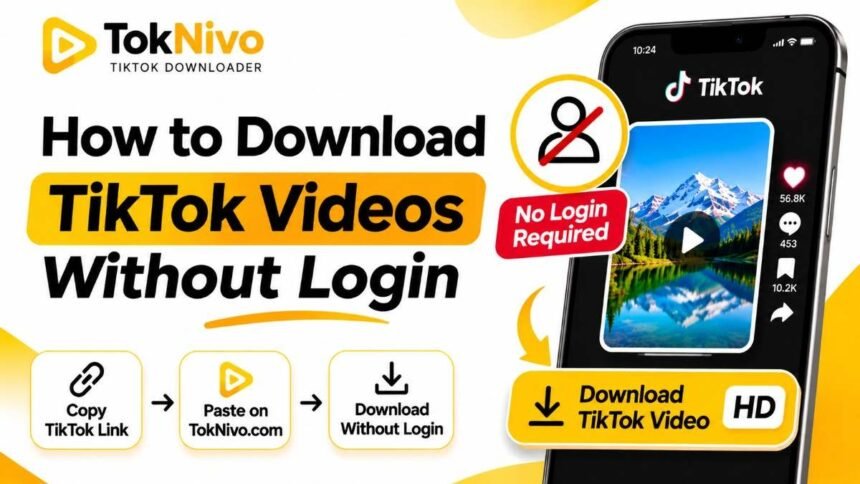
Someone sends you a TikTok link, but you do not have an account. Or perhaps you have an account and simply do not want to sign in on a second device to save a public clip. If the video can be reached through its link, a browser-based downloader may let you save an available copy without entering a TikTok username or password.
TokNivo offers a paste-a-link TikTok downloader that you can open in a browser. The main requirement is the specific video URL. This guide explains how to get it, what to do on iPhone, Android, and desktop, and why “without login” does not mean access to private, deleted, or restricted posts.
Quick answer: Copy the link to a publicly accessible TikTok video, open TokNivo’s downloader, paste the link, choose an available video result, and save the file. TokNivo does not require you to create an account for its advertised browser workflow. Availability still depends on whether the TikTok post is accessible and what media options the tool can retrieve.
What does “without login” actually mean?
There are two different sign-ins people might mean. The first is signing into TikTok to view or share a post. The second is creating an account on a download website. TokNivo’s page describes a link-based process without a sign-up or installation step. It does not ask you to connect your TikTok account as part of the normal flow.
A public TikTok post may be viewable or shareable by people who do not have a TikTok account. TikTok’s privacy guidance says the visibility of public-account posts depends on the creator’s settings and that some may be visible to people on or off TikTok. This is why a direct public video link can be useful when you are not signed in.
Access is still conditional. TikTok might display an app prompt or require a login for a particular page or feature. A video can also be limited by the creator, the viewer’s location or age, or the status of the post. Having a URL alone does not make a private or restricted video public. If a friend shared a clip you cannot open, ask for an accessible link or request the file directly from its creator.
How to download an accessible TikTok video without logging in
Step 1: Get the link to the exact video
If you can open the post in the TikTok app, tap Share, then Copy link. If someone else sent it to you, copy the URL from their message. On a computer, open the particular public video and copy its browser address. The link should lead to the clip itself, not merely to the creator’s profile.
A TikTok link might be shortened. You do not need to edit it by hand; paste the full URL you received. If a shortened link fails, open it in a browser and copy the final address for the individual video. Do not copy a URL from a search result for a different post just because the thumbnail looks similar.
Step 2: Open TokNivo in your browser
Visit toknivo.com on your phone or computer. TokNivo’s main page includes a Video option alongside tools for audio and images. Choose Video if the site presents those tabs, then paste the copied TikTok link into the URL field.
You do not need to install a separate app for this browser workflow. You also should not need to enter your TikTok password, a one-time verification code, or browser cookies. If a page asks for sensitive account details, stop and double-check the address you opened.
Step 3: Review the available results
Press the page’s download button and wait for the result. If several video options appear, pick the one that suits your needs. Quality and watermark options depend on what the tool can access for that post. A label such as “HD” cannot create detail that is missing from the source video, so preview the result when possible.
If you only want the sound or still images, use the relevant tool or tab instead. A standard video link normally points to moving footage; a TikTok photo carousel requires a different image-saving workflow. Keeping those formats separate avoids downloading the wrong kind of file.
Step 4: Save and verify the video
Tap or click the available video download. Look in your browser’s download list if the file does not appear immediately. Open the saved video and check that it plays, contains the expected sound, and includes the full segment you wanted. If it opens in a browser tab instead of downloading, use the browser’s save control where available.
A preview on the website is not proof that the MP4 is stored on your device. Confirm the file exists in Downloads, Files, or your chosen folder before closing the page.
Download without login on iPhone
If someone has sent you a link by message, press and hold it to copy the URL or open it and use the browser’s share option to copy the address. Open Safari and paste it into TokNivo. Choose the Video option, request the available result, and save the file.
Safari often sends downloads to the Files app rather than straight to Photos. Check the downloads icon in Safari, then open Files → Downloads. The exact folder can depend on your Safari settings. Once you find the video, open it to confirm it works. If your iPhone offers a Save Video action in the share menu, you can use it to place a compatible file in Photos.
An iPhone may try to hand a TikTok URL to the TikTok app or display an “open in app” prompt. You can still try the browser-based flow when the public link is accessible. If the link itself cannot be viewed without signing in, TokNivo cannot be assumed to solve that access limitation. Ask the sender for the original file or a publicly viewable post link.
Download without login on Android
Copy the specific public video link from a message, a browser page, or TikTok’s Share menu if you already use the app. Open Chrome or your preferred browser, go to TokNivo, and paste the URL into the video field. Download an available result and check your device’s Downloads folder.
On many Android phones, the file appears in the Files or My Files app. It may also show up in your gallery after the phone indexes the download. If the browser asks whether to download the file, review the filename and confirm. If it saves an HTML page rather than a video, return to the result and choose the media download control rather than using the browser’s generic “Save page” command.
You can repeat the process for another public link without registering a download account. Keep your files organized by naming them with the creator’s handle or a brief description, especially if you save several clips in one session.
Download without login on Windows or Mac
On a desktop browser, paste the link to a public TikTok video into TokNivo’s video downloader. Select an available result and save it to your computer. Most browsers use a Downloads folder by default, although you may have chosen a different location in browser settings.
Open the file after it saves. On Windows, check File Explorer; on a Mac, check Finder. If the file extension is unfamiliar or the video will not play, inspect what actually downloaded before trying another link. A proper video download should be a media file, not an installer that claims you need a special player.
If a shared URL opens a creator’s profile rather than a video, ask for the post link. A public profile may contain many videos; it does not tell a downloader which one you meant. If you can view the desired clip in the browser, copy the individual post’s address from there.
TikTok’s own save option versus a no-login browser tool
TikTok’s Help Center says its built-in video save feature works when the creator permits downloads. In the TikTok app, the usual path is to open a video, tap Share, and choose Save video if it appears. That is convenient if you have the app and the option is available to you.
A browser tool serves a different situation: you have a link to an accessible video and want to use a website without creating a downloader account. It is also useful on a laptop where you do not want to move the file through your phone. The result may differ from TikTok’s native download, including its available quality or watermark. Check the actual file instead of assuming every post will have the same choices.
If a creator has restricted downloads or access, treat that choice seriously. Do not read “no login” as permission to get around private-account settings. A public link and a creator’s permission to republish are also separate questions: you may be able to see a clip without having the right to upload it as your own work.
Can you download TikTok videos without a watermark and without login?
TokNivo describes options for downloading TikTok videos without a watermark. Whether a clean version is available for a particular URL should be checked on the result page. The original upload, TikTok’s available renditions, and post access all affect what a downloader can return.
A watermark-free copy is useful for preserving your own video before editing it for another format. If it is your content, check whether you still have the original camera file or editing project first. That source often gives you the most control over quality, cuts, captions, and licensed sound.
For someone else’s clip, removing a watermark does not remove the creator’s ownership. Ask permission before reposting it, especially for advertising, brand accounts, compilations, or monetized content. If you are saving a reference for offline viewing, keep a note of the original creator and URL so you can find and credit the source later.
Why does a no-login download fail?
A failed link does not always have the same cause. Work through these checks in order:
- Open the URL in a browser. Does it lead to the exact video? If not, copy the correct post link.
- Check access. A private, friends-only, deleted, age-restricted, or otherwise unavailable post may not be retrievable through a public browser workflow.
- Try the complete link. If a short URL fails, open it and copy the final post address. Do not strip out parts of the URL at random.
- Check the selected content type. A slideshow of still images may need TokNivo’s image or slideshow tool instead of Video.
- Reload once. A temporary network or browser problem can interrupt a request. Try again while the public post is still accessible.
- Find the actual file. The download may have completed into Files or Downloads even if your gallery has not displayed it yet.
Avoid tools that promise to bypass a private account by asking for a password, a TikTok verification code, or an extension with broad browser access. A missing file is inconvenient, but giving away account credentials is a much bigger problem.
What “no account” does not include
You do not need a TikTok account for every publicly available viewing situation, but some TikTok features are tied to an account. Following creators, maintaining a personal Favorites list, commenting, and managing your own uploads involve TikTok account features. A browser downloader cannot provide those features merely by saving a video file.
A no-login tool also cannot show your private drafts, messages, or posts shared only with an approved audience. If you are trying to back up videos from your own TikTok account, use the original files on your device and the account’s own available controls. That is a different job from downloading a single public clip from a link.
Frequently asked questions
Do I need a TikTok account to download a video from a link?
For an accessible public video, TokNivo’s browser workflow is designed around pasting a link without creating a downloader account or entering a TikTok login. Some TikTok pages or individual posts may still be restricted.
Can I use TokNivo without installing an app?
Yes. TokNivo presents its downloader as a website you can use through a phone or computer browser. Open the site, paste the specific TikTok link, and review the available file options.
Can I download a private TikTok video without logging in?
A public-link downloader should not be expected to retrieve a private or audience-restricted post. Ask the creator to share an authorized copy if you need it.
Where does the video save on iPhone?
Check Safari’s downloads list and the Downloads folder in the Files app. You may be able to move a compatible saved video into Photos from the iOS share menu.
Where does the video save on Android or desktop?
Look in your browser’s downloads history and the device’s Downloads folder. Your gallery app may take some time to show a new Android download.
What if the TikTok link asks me to log in?
First confirm that you have a link to a publicly accessible post. A login prompt can reflect TikTok’s current web experience or a restriction on that content. Do not give your login credentials to a third-party site that promises to bypass it.
Is downloading without login the same as downloading without a watermark?
No. “Without login” describes the sign-in requirement. “Without a watermark” describes the available video file. Check the options shown for the particular post and verify the result after saving.