


TikTok Stories are designed to be temporary. Unlike ordinary posts that may remain on a profile, a Story is available for only 24 hours. That limited window makes Stories useful for quick updates, behind-the-scenes moments, announcements, and daily highlights, but it also means an important clip can disappear before you have time to revisit it.
If you published the Story yourself or have the creator’s permission, saving a copy before it expires can help you preserve a memory, retain campaign material, document an announcement, or keep an approved reference for offline viewing.
TokNivo provides a browser-based way to process a supported public TikTok Story link while it is still active. You can use it on a phone, tablet, or computer without installing an unfamiliar downloader app.
This guide explains how to download TikTok Stories before they disappear, where the saved file goes, what to do if the link fails, and why timing and permission matter.
Quick Answer: Save a TikTok Story Before It Expires
- Open the active public Story in TikTok.
- Tap the Share arrow.
- Choose Copy link.
- Open TokNivo.com in your browser.
- Select Stories when that option is available.
- Paste the Story link into the downloader field.
- Tap Download and choose an available video or image option.
- Find the saved file in your browser’s Downloads list or device Downloads folder.
Complete these steps while the Story is still live. A downloader cannot retrieve media that TikTok no longer makes available through the original public link.
What Are TikTok Stories?
TikTok Stories are temporary photos or videos that people can share for 24 hours. Viewers can access them while they remain active, subject to the creator’s account and post privacy settings.
Stories differ from regular TikTok posts in several ways:
- They have a limited viewing period.
- Their availability depends on when they were published.
- A Story link may stop working after expiration or deletion.
- The creator controls who can view the content.
- Some Stories may be photos, while others are short videos.
Because the content is temporary, waiting until later can mean losing access. If a Story is important and you are authorized to save it, act while it is publicly available.
Before You Download a TikTok Story
Check three things before saving:
Is the Story Still Active?
TikTok Stories remain available for 24 hours. If the creator posted it nearly a day ago, the remaining window may be short.
Is the Story Publicly Accessible to You?
Do not use a downloader to bypass a private account, limited audience, age restriction, regional restriction, or other access control.
Do You Have Permission?
A visible Story is not automatically free to copy, repost, modify, or use commercially. Save your own content or material you have permission or another lawful basis to download.
How to Download TikTok Stories With TokNivo
The basic workflow is to capture the Story’s individual share link and process it before the link expires.
Step 1: Open the Active TikTok Story
Open TikTok and find the account with the active Story. Tap the profile indicator or Story entry to view it. Confirm that you have opened the specific Story rather than an ordinary profile or feed page.
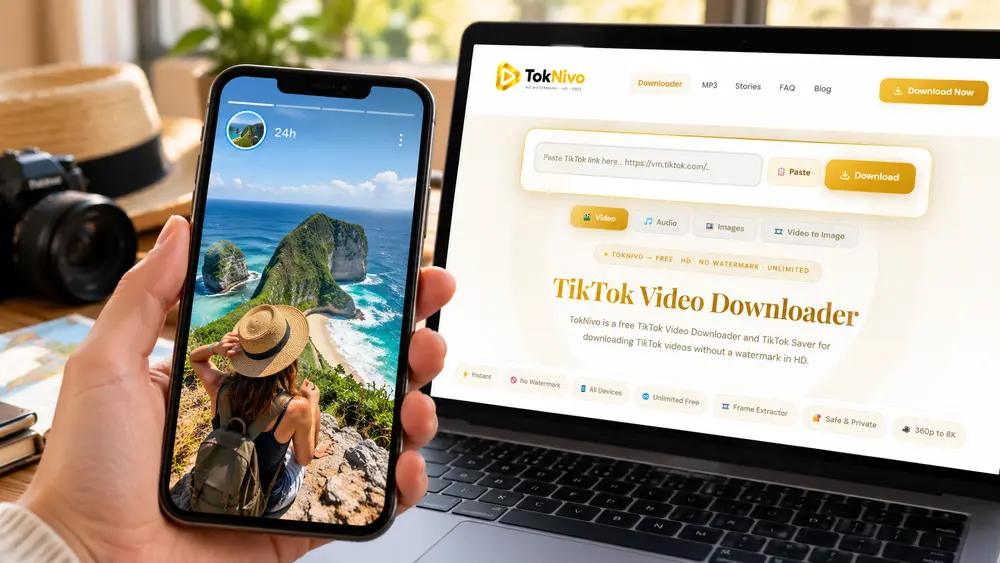
If several Story segments are available, move to the exact photo or video you want before opening the share menu.
Step 2: Copy the Story Link
Tap the Share arrow or sharing control while the Story is open. Choose Copy link. The specific Story URL should now be stored on your clipboard.
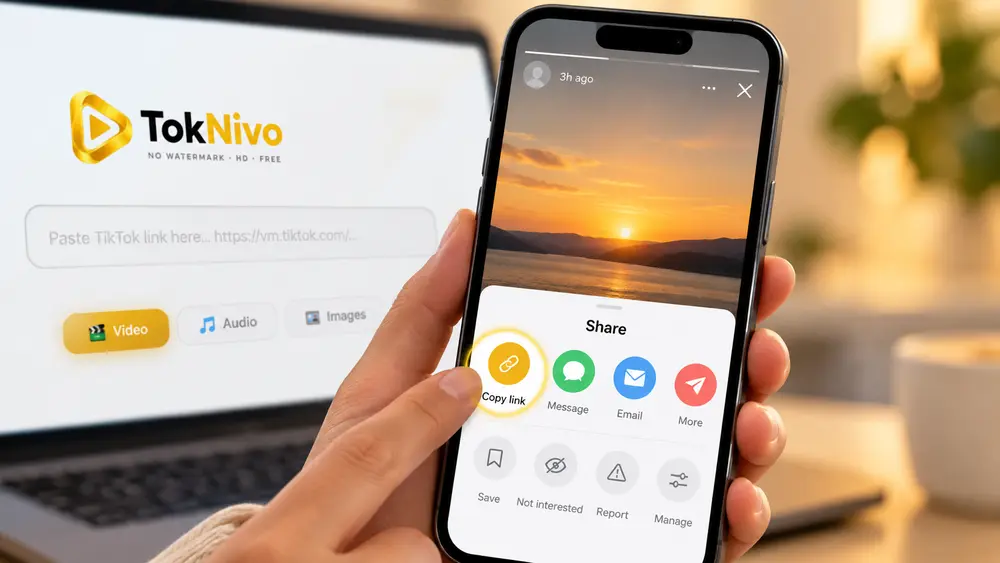
Do not copy only the creator’s profile URL. A profile link may not identify the individual temporary Story.
Step 3: Open the TokNivo Stories Tool
Open Chrome, Safari, Firefox, Edge, Samsung Internet, or another current browser. Visit https://toknivo.com/ and select Stories if the site displays a dedicated Stories option.
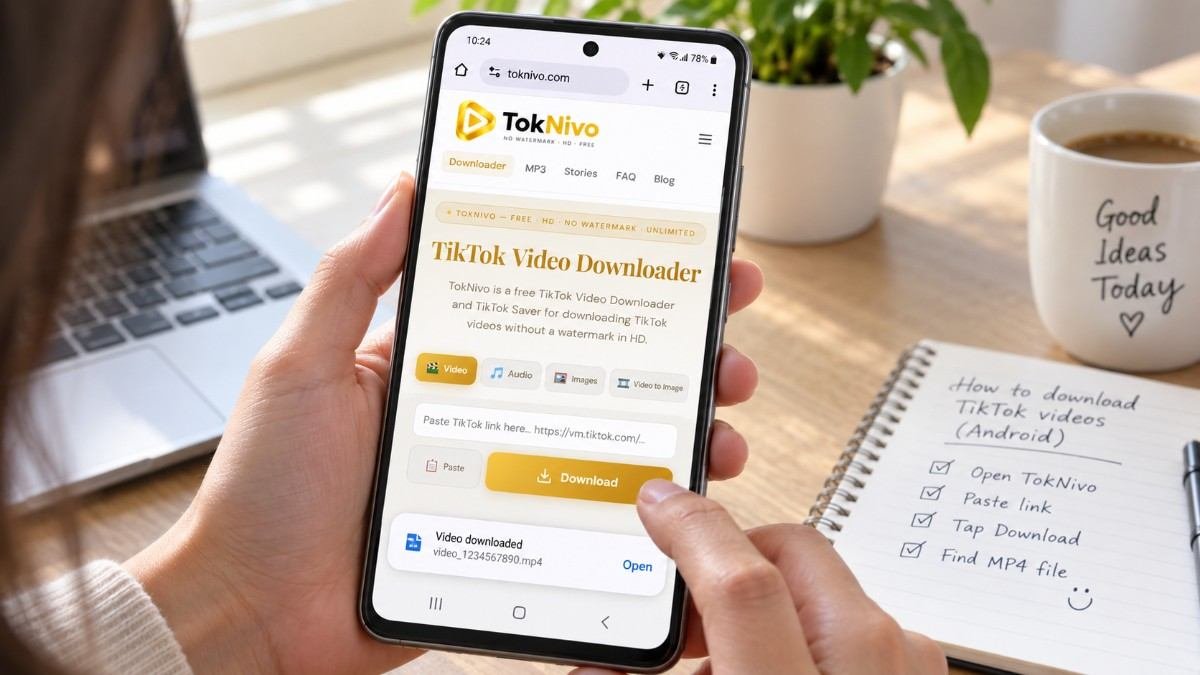
You should not need to provide your TikTok username or password to process an eligible public Story URL. Leave any unrelated page that asks for account credentials or requires an unknown APK, extension, or configuration profile.
Step 4: Paste and Process the Story URL
Tap or click inside TokNivo’s URL field and choose Paste. Confirm that the complete address appears, then select Download.
TokNivo will attempt to identify the media that is currently available from the public link. Processing may fail if the Story expires, the creator deletes it, its privacy changes, or the URL is incomplete.
Step 5: Choose the Available File
If the Story is a video, select an available MP4 option. If it is a photo Story, choose the available image option. Quality depends on the source that TikTok currently provides.
Your browser may download the file immediately or open a preview. If a preview appears, use the browser’s download or save control.
Step 6: Find the Saved Story
Open your browser’s Downloads page or your device’s Downloads folder. The saved Story may appear as an MP4 video or an image file.

Rename files you own with a clear date or description. If the material belongs to another creator, preserve attribution and do not present it as your own work.
How to Download TikTok Stories on Android
- Open the active Story in the TikTok app.
- Tap Share and choose Copy link.
- Open TokNivo in Chrome.
- Select Stories, paste the link, and press Download.
- Choose the available file option.
- Open Chrome > Menu > Downloads or use Files by Google and browse to Downloads.
If the saved video does not appear in Gallery, open it directly from the Downloads folder. You can move authorized files to Movies or DCIM if you want them indexed by your gallery application.
How to Download TikTok Stories on iPhone or iPad
- Open the live Story and copy its share link.
- Open Safari and visit TokNivo.
- Select Stories and paste the URL.
- Process the link and download the available file.
- Open Safari’s Downloads list or Files > Browse > Downloads.
An MP4 may initially remain in Files. To place an authorized video in Photos, open it, tap Share, and choose Save Video when available. For an image, use the appropriate Save Image command.
How to Download TikTok Stories on a PC or Mac
If you can open the Story in a desktop browser, copy its specific URL and paste it into TokNivo’s Stories tool. Choose the available format after processing.
On Windows, the file normally appears under File Explorer > Downloads. On macOS, check Finder > Downloads. Your browser may use a different destination if you changed its download settings.
Can You Download an Expired TikTok Story?
Usually, not through the original Story link. After the 24-hour window closes or if the creator deletes the Story earlier TikTok may stop serving the media publicly. A downloader cannot reliably recover content that is no longer available from the source.
Your legitimate options are:
- Check whether you saved your own original file.
- Ask the creator to send or repost the Story.
- Look for an authorized version posted elsewhere by the same creator.
- Check your own creator drafts, editing app, cloud backup, or camera roll.
Avoid websites that claim they can unlock private or deleted Stories. Such claims may be misleading or may involve unsafe requests for login credentials.
How to Preserve Your Own TikTok Stories
Creators should not rely only on a temporary social-media post as an archive. Before publishing:
- Keep the original photo or video.
- Export the finished edit without platform overlays.
- Store a backup in cloud storage.
- Use descriptive filenames and dates.
- Retain music or asset licence information.
- Keep campaign versions in a dedicated project folder.
The original export will generally provide better quality than a file downloaded from a published Story.
Common TikTok Story Download Problems
The Story Link Is Invalid
Open the Story again and copy its share link. Confirm that you copied the individual Story rather than the profile. Remove any surrounding message text from the pasted URL.
The Story Has Disappeared
The 24-hour period may have ended, or the creator may have deleted the Story. TokNivo cannot process media that the source no longer provides publicly.
TokNivo Cannot Find the Media
The Story may be private, restricted, unavailable in your region, unsupported, or in the process of expiring. Refresh once and confirm that the Story still plays in TikTok.
The Download Button Does Nothing
Check your connection, allow normal browser downloads, and try an updated browser. A strict script blocker may prevent the result from loading.
The Story Opens Instead of Downloading
Use the download control in the preview or open the browser menu and choose the available save or download command.
The Saved Quality Is Low
The available quality is limited by the source. A downloader cannot create real HD detail if TikTok only provides a lower-resolution copy.
Is a TikTok Story Downloader Safe?
Use normal browser-safety precautions:
- Visit the correct HTTPS address.
- Never provide your TikTok password.
- Do not install an unknown APK or extension.
- Keep your browser and operating system updated.
- Expect a media file such as MP4, JPG, PNG, or WebP not an executable.
- Review TokNivo’s current privacy policy and terms.
A tool should not promise access to private Stories or ask you to disable essential device security.
Is Downloading TikTok Stories Legal?
Downloading a Story does not transfer ownership or reuse rights. The creator may own the video, image, voiceover, music, artwork, or other elements in the Story.
Download only:
- Stories you created
- Content the owner has permitted you to save
- Public-domain material
- Appropriately licensed content
- Material whose use is otherwise lawful
Do not repost another person’s Story as your own, sell unauthorized copies, remove attribution to mislead viewers, or use protected content commercially without permission. Laws and exceptions differ by location, so request permission or seek qualified legal advice when your intended use is unclear.
Frequently Asked Questions
How long do TikTok Stories remain available?
TikTok says Stories allow photos and videos to be shared for 24 hours.
Can I save a TikTok Story without installing an app?
Yes. TokNivo works through a supported browser for eligible public Story links.
Can TokNivo download a private Story?
No. Do not use downloading tools to bypass account privacy or audience restrictions.
Can I download both video and photo Stories?
Available options depend on the live Story. Video Stories may be provided as MP4, while photo Stories may have an image option.
Where will my saved Story be stored?
Most browsers place it in Downloads. On iPhone, check Safari Downloads and Files. On Android, check Chrome Downloads or your file manager.
Can I recover a Story after 24 hours?
Not reliably from the expired public link. Ask the creator or check your own original files and backups.
Does downloading remove the Story from TikTok?
No. Saving an available copy does not delete or modify the creator’s Story.
