


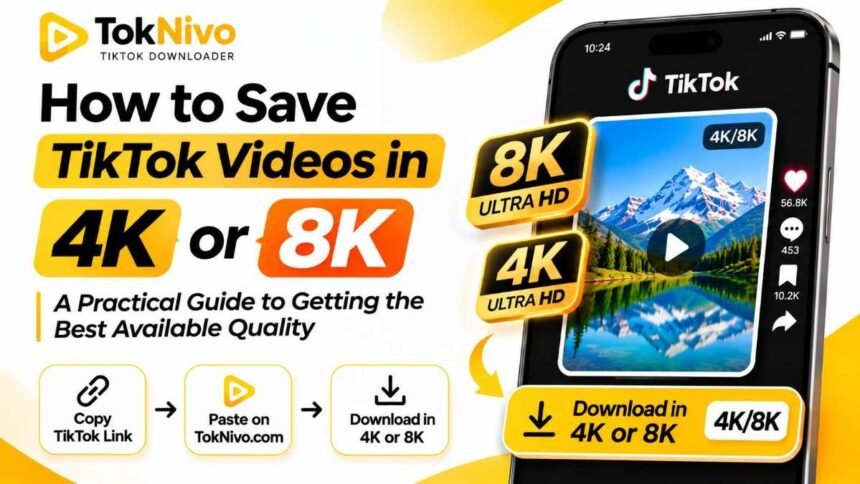
A clip can look remarkably sharp on your phone and still turn soft when you open it on a large monitor. That is why people search for ways to save TikTok videos in 4K or 8K. They want a clean copy they can watch offline, preserve for a project, or edit without losing detail.
There is one important point to understand before you download: a 4K or 8K button cannot create detail that is missing from the video TikTok makes available. A creator may have filmed in 4K, yet the publicly accessible version may be smaller or more compressed. This guide shows you how to request the best available file with TokNivo, verify its actual resolution, and decide whether 4K or 8K is useful for your purpose.
Can you really download a TikTok video in 4K or 8K?
Sometimes, a high-resolution file may be available for a particular post. There is no dependable rule that every TikTok video can be downloaded in 4K, and an 8K download should never be assumed. The result depends on the media that was uploaded, how TikTok processed it, and what version is accessible for that post. Recording on a 4K camera is only the first step; it does not guarantee that a public download retains the camera file’s resolution or bitrate.
TikTok’s developer documentation specifies a maximum of 4,096 pixels for either dimension in videos sent through its Content Posting API. That is a specification for that upload route, not a promise that public TikTok posts are downloadable at 4K, and it offers no basis for claiming native 8K downloads from that route.
TokNivo’s site lists quality options ranging from 360p through 8K. Treat those labels as options to inspect for the individual video. If the result is 720p or 1080p, that is the quality of the accessible file you obtained, regardless of a higher option shown elsewhere on the page. For your own work, keeping the original camera export before uploading is the surest way to preserve its full recorded quality.
What do 4K and 8K mean for vertical videos?
Resolution describes the number of pixels across and down a frame. For standard landscape video, 4K UHD is 3840 × 2160 pixels, while 8K UHD is 7680 × 4320 pixels. A vertical 9:16 video uses the dimensions the other way around: approximately 2160 × 3840 for 4K portrait and 4320 × 7680 for 8K portrait. You may also see slightly different dimensions because of cropping or other aspect ratios. Adobe’s video resolution guide explains the familiar UHD dimensions.
| Approximate quality | Common portrait dimensions | What to expect |
|---|---|---|
| 720p | 720 × 1280 | Reasonable for small screens; less room for cropping. |
| 1080p | 1080 × 1920 | Often a practical target for vertical playback and editing. |
| 4K UHD | 2160 × 3840 | More pixels, if the available file genuinely contains them. |
| 8K UHD | 4320 × 7680 | Much larger frame; requires a genuine 8K source to provide native detail. |
Resolution alone does not describe the whole picture. A heavily compressed 4K video can appear worse than a clean 1080p file. Bitrate, encoding, focus, lighting, motion, and repeated exports all affect what your eyes see. When you choose between files, compare the picture at the size you will actually use it.
How to save a TikTok video at the highest available quality with TokNivo
These steps work in a mobile or desktop browser. The labels and available outputs can vary by post, so use the choices you actually see rather than assuming 4K or 8K will appear.
1. Open the TikTok post and copy its link
In TikTok, open the video and tap or click Share, then Copy link. On a desktop browser, you can usually copy the post’s URL from the address bar. Copy the link to the individual video rather than the creator’s profile or a search results page.
2. Open TokNivo and select Video
Go to TokNivo’s TikTok video downloader. Select the Video tab if another tab is active. TokNivo also has audio and image options, but the Video tab is the relevant one when you need an MP4 clip.
3. Paste the link and request the download
Paste the copied link into the input field and choose Download. Give the page time to load the available results. If you copied a short TikTok link, use the full link as copied; you do not need to manually edit tracking text or guess a video ID.
4. Choose the highest useful option that actually works
Review the offered video choices. If a 4K or 8K option is available, select it and save the file. If only a smaller resolution is available, take the highest useful choice, such as 1080p or 720p. A label is a starting point; checking the saved file is how you confirm what you received.
5. Confirm the file before relying on it
Open the download and make sure it plays completely, has sound if expected, and shows the correct video. Inspect its dimensions using the instructions below. If you are editing your own clip, compare it with your camera original; the original may still be better than any copy downloaded from a social platform.
How to check whether your download is really 4K or 8K
Do not judge only from the filename. A video called “TikTok_8K.mp4” could contain a much smaller image encoded into a larger frame. Check both the pixel dimensions and the visible detail.
On Windows: Right-click the MP4 file, open Properties, and look in Details for frame width and frame height. A portrait 4K UHD file is commonly around 2160 × 3840 pixels. You can also open the file in a media player that reports codec information.
On macOS: Select the file in Finder and press Command–I to open Get Info. If dimensions are not displayed, open the video in QuickTime Player and use Window → Show Movie Inspector. Inspect the reported resolution rather than the size of the preview window.
On iPhone or Android: Open the saved file in your Photos, Files, or Gallery app and look for its information or details view. The location of this control varies across devices. If your phone does not show pixel dimensions, transfer the file to a computer or use a trusted media inspection app.
Then view a paused frame with text, hair, foliage, or other fine detail at 100% size. If the pixels are technically 4K but the image looks blurred or artificial, the file may have been enlarged from a lower-resolution version. Upscaling increases the number of pixels; it cannot recover the exact detail absent from the source.
Why a 4K recording can download at 1080p or less
Consider the path the video took. The creator recorded a file, exported it from an editor, uploaded it, and TikTok prepared versions for playback. A downloader can access only a version that is actually available to it. Each stage may change resolution, compression, frame rate, or audio quality.
A creator can also export a smaller file from a 4K project without noticing. A vertical crop may reduce the usable dimensions further. And a clip that looks sharp on a small phone screen does not reveal its pixel count just by being played in full screen. None of these situations means that your download failed; they explain why the accessible video can differ from the original recording.
If you own the video and need native 4K, look first in the folder where you saved the camera file or final export. Cloud backups and editing project folders are often better sources than downloading your already published post. If someone else owns the clip and you need a production-grade file, ask the creator for an original export and permission to use it.
Choosing the right quality for your device and project
The highest number is not automatically the best choice. For offline watching on a phone, a good 720p or 1080p copy may look excellent and use much less storage. For editing, a higher-quality source gives you more room to crop and stabilize, provided it contains real detail. If you are archiving your own work, save the original export alongside any web download.
Large files also take longer to transfer and can be harder for older devices to play. Before you select 4K or 8K, ask: Will I display this on a large screen? Will I zoom into the frame? Do I have permission to reuse it? Does the downloaded file genuinely have more detail? Your answers should drive the choice.
For most TikTok viewing, the difference between a good HD file and an enlarged “8K” copy will be less useful than a clean, complete MP4 at the source’s real resolution. A bigger file is not proof of better quality.
Troubleshooting: when the quality you want does not appear
No 4K or 8K choice: The higher-resolution version may not be accessible for this post. Try the best listed quality and inspect it. Repeatedly downloading the same link will not create a native high-resolution source.
The link does not load: Return to the post, copy its direct link again, and check that the post can be viewed. Availability can change if a video is removed, made private, or restricted.
The download is smaller than the creator’s upload: An upload’s recorded size and a public playback or download version can differ. If it is your video, retrieve the original export. If you need someone else’s original, contact them.
The file looks blurry despite a 4K label: Check its dimensions, then compare fine details against another version. The source may be compressed, or the file may have been upscaled. Exporting it again at 4K will not restore lost detail.
The save button is missing in TikTok: TikTok says that in-app saving depends on whether the creator allows downloads. Respect the creator’s choices and any applicable rights or platform rules; for material you plan to publish or use commercially, get permission from the rights holder. See TikTok’s download guidance.
Tips to preserve quality when saving your own TikTok videos
Start with a sharp original. Clean lighting, accurate focus, and sensible camera settings matter more than an impressive resolution label. Keep the original footage before you edit, and export one high-quality master that you can reuse. Avoid sending the file through messaging apps or repeatedly downloading and reuploading it when a direct transfer is available; extra processing can degrade the image.
Use the intended vertical dimensions for your project, check your editor’s export settings, and watch the finished file before uploading. After publishing, compare the posted version with your saved master. If you later need to make another edit or move the video to a different platform, return to the master rather than building on a downloaded copy.
If you are saving another creator’s post for personal reference, store the link and creator name with the file. This helps you find the original post and ask for authorization if you later want to reuse the footage. Removing a watermark does not remove copyright or grant permission to republish.
Frequently asked questions
Is every TikTok video available in 4K?
No. The available resolution varies by post and by the version accessible for downloading. The camera used to record the footage is not a reliable indicator of the downloadable file’s dimensions.
Can I download TikTok videos in 8K with TokNivo?
TokNivo lists 8K among its quality options, but a true 8K result requires an accessible 8K source. Confirm the downloaded file’s dimensions and image detail before describing it as native 8K.
Does removing a TikTok watermark improve video quality?
Removing a visible watermark changes the appearance, not the underlying source resolution. For the best-looking result, choose a good-quality available file and avoid unnecessary re-encoding.
Is 4K better than 1080p for a phone?
Sometimes, but it depends on the source, compression, screen, and what you are doing. For casual phone playback, a clean 1080p file may be the more practical download. A genuine higher-resolution file helps more when you need to crop or display it larger.
Can an 8K converter turn a 1080p TikTok into real 8K?
It can produce a file with 8K dimensions through upscaling. It cannot reconstruct all the original fine detail that was never in the 1080p source. Evaluate the picture rather than trusting the exported label.
What is the best way to preserve my own TikTok video in full quality?
Keep your original camera footage and final editing export. These files are your most reliable reference for the quality you created, regardless of what version a platform later makes available.