


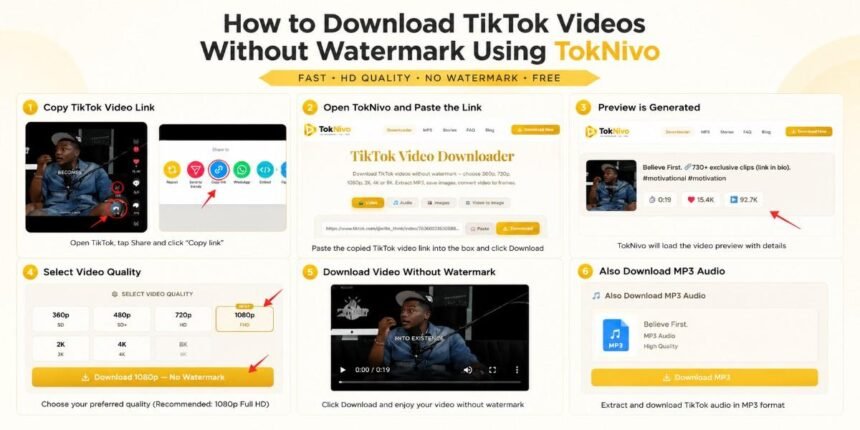
TikTok has become one of the largest short-video platforms in the world. Millions of users watch, save, and share content every day. However, many users want a TikTok Video Downloader that can save videos in HD quality without watermark.
TokNivo allows users to download TikTok videos online without installing apps. You can save videos in 360p, 720p, 1080p Full HD, 2K, 4K, and 8K, extract MP3 audio, save images, and convert videos into frames.
In this complete guide, you’ll learn exactly how to use TokNivo.
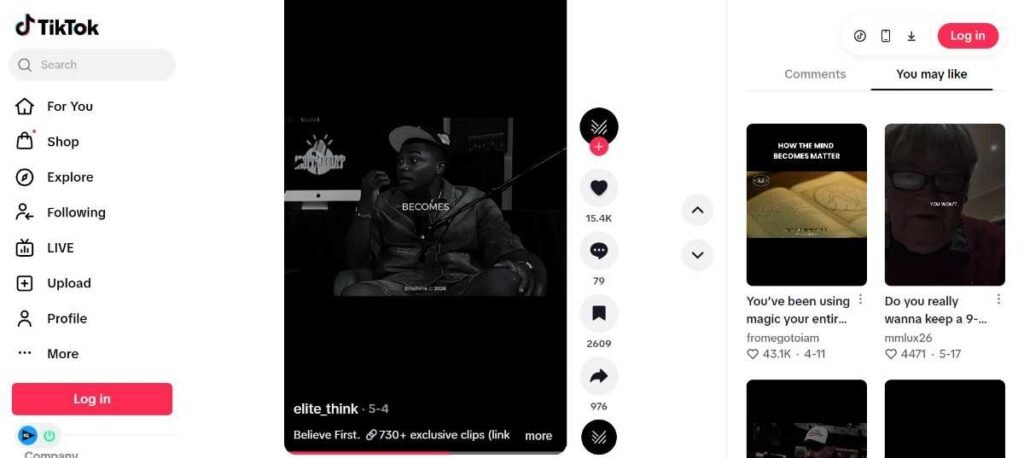
Step 1: Open TikTok and Find Your Video
First, open TikTok and choose the video you want to save.
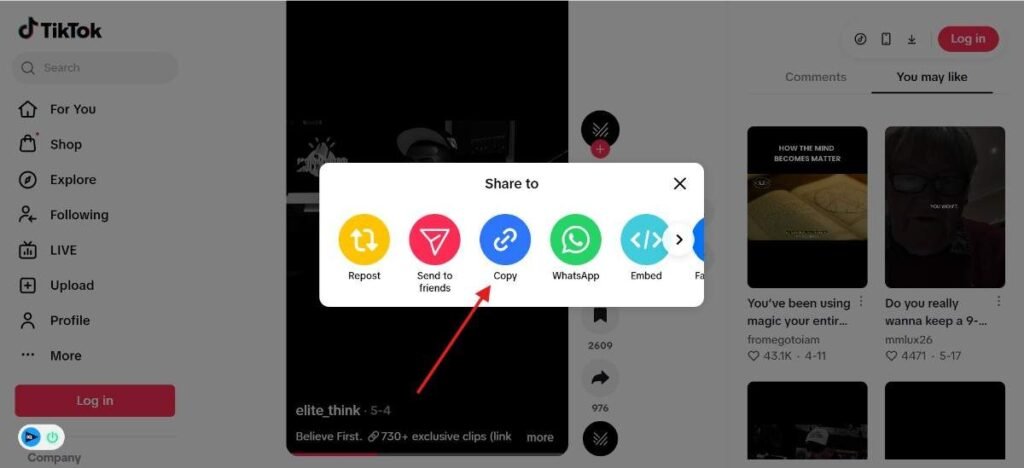
Find the Share icon on the right side of the video.
Then click:
Share → Copy Link
Why Copying the Correct URL Matters
TikTok downloader tools work using the original video URL.
When you copy the link, TokNivo can:
- detect video details
- fetch HD versions
- extract MP3 audio
- generate preview information
- prepare no-watermark downloads
Step 2: Open TokNivo TikTok Video Downloader
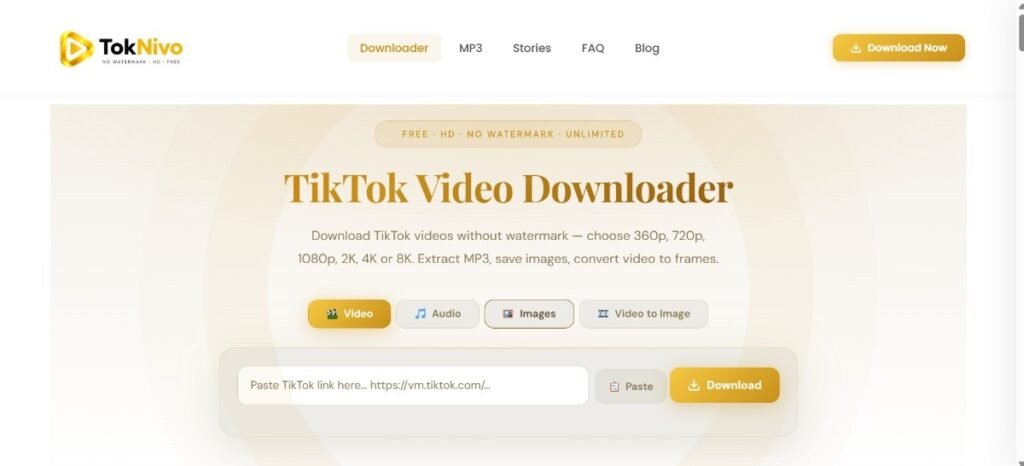
Now visit TokNivo and open the homepage.
You will see:
- ✓ Video Download
- ✓ Audio Download
- ✓ Image Download
- ✓ Video to Image Tool
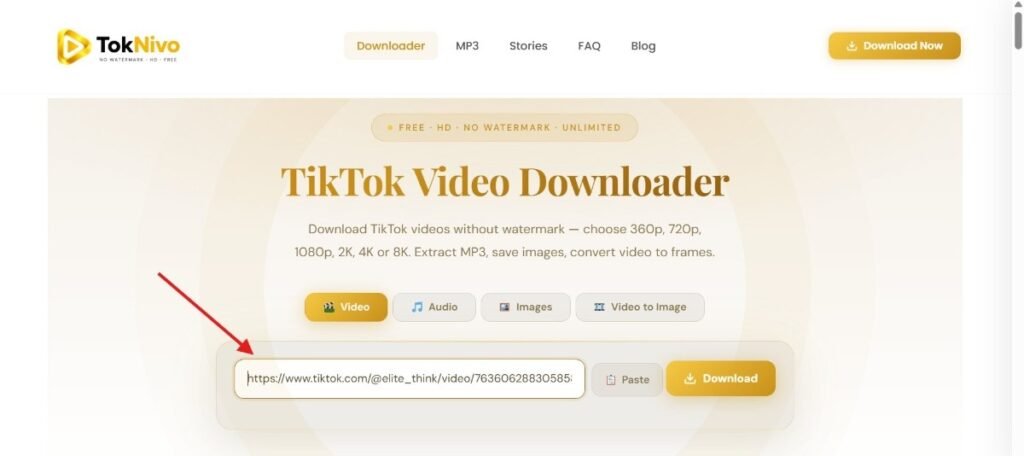
Paste your copied TikTok URL inside the input box.
Step 3: Paste the TikTok Video Link
Paste the URL directly into the search field.
The URL should look similar to:
https://www.tiktok.com/@username/video/123456789
TikTok Short URL
TokNivo automatically reads the URL and prepares download options.
Step 4: Click Download
Click the yellow Download button.
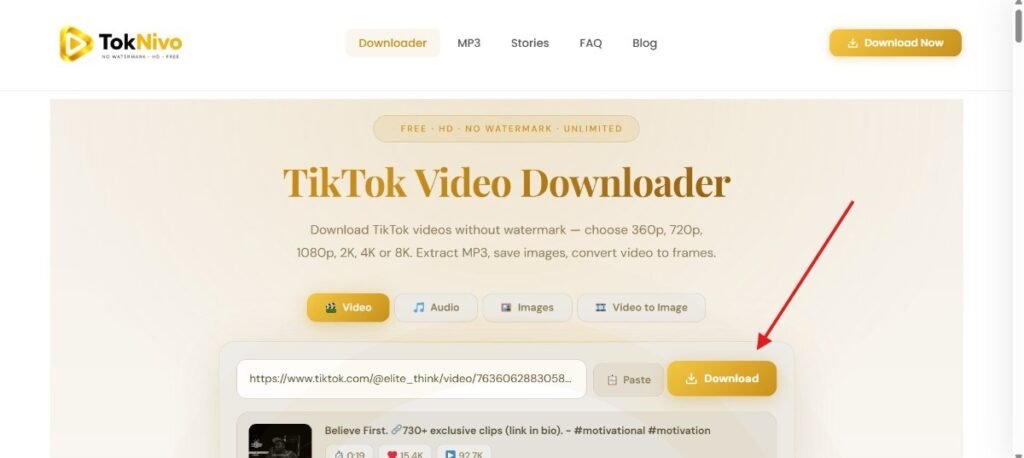
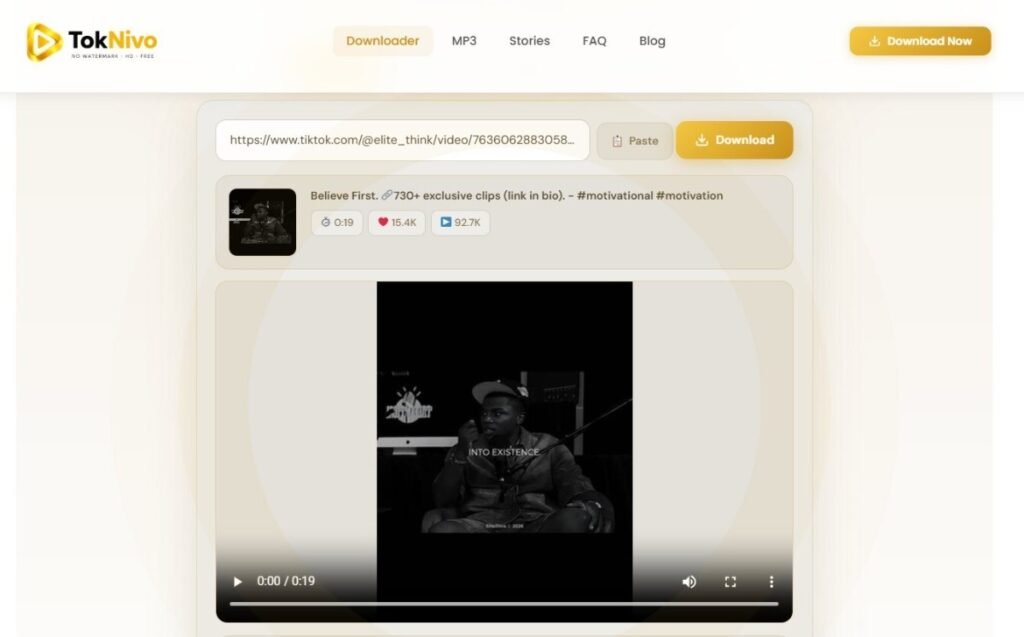
TokNivo instantly processes your TikTok link and loads:
- video preview
- creator information
- video statistics
- video duration
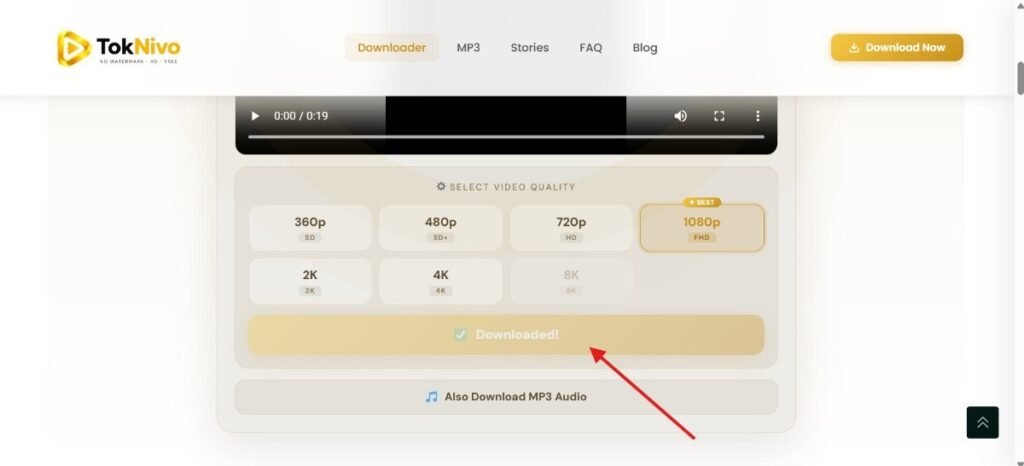
Step 5: Select HD Video Quality
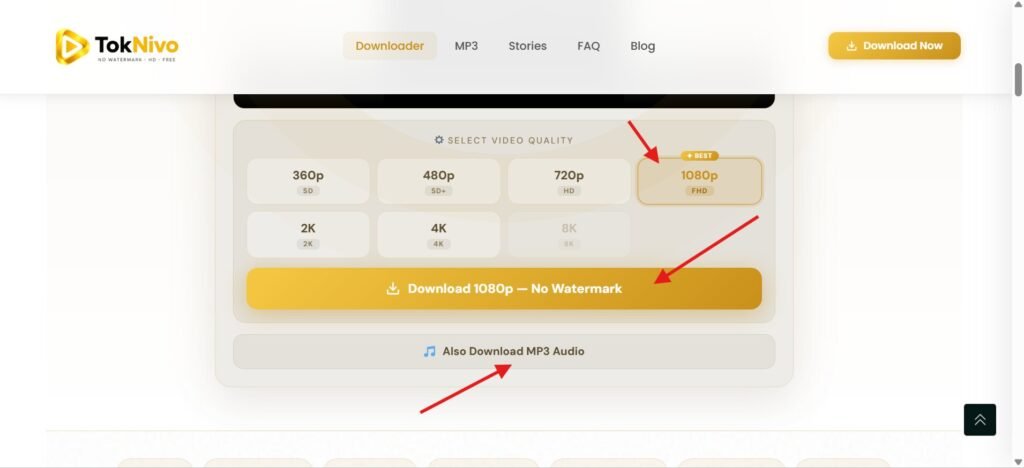
TokNivo supports multiple download formats:
- 360p
- 480p
- 720p HD
- 1080p Full HD
- 2K
- 4K
- 8K
For most users:
1080p Full HD is recommended
because it balances quality and file size.
Step 6: Download TikTok Video Without Watermark
Press the download button:
Download 1080p — No Watermark
- Your video downloads instantly.
- No installation.
- No registration.
- No watermark.
- No software needed.
Why Use TokNivo?
HD & Full HD Downloads
Download videos in 720p, 1080p, 2K and 4K.
No Watermark Downloads
Save cleaner videos.
Fast Processing
Paste a link and download instantly.
Browser Based
No installation required.
Multiple Tools
Video + MP3 + Stories + Images + Viewer + Frames
Frequently Asked Questions
1. What is a TikTok Video Downloader?
A TikTok Video Downloader is an online tool that allows users to save TikTok videos directly to their device. With TokNivo, users can download videos in multiple quality options and save content without watermark.
2. How do I download TikTok videos without watermark?
Copy the TikTok video link, open TokNivo, paste the URL into the downloader box, and click Download. Then select your preferred quality and save the video without watermark.
3. Is TokNivo free to use?
Yes. TokNivo is completely free and allows users to download TikTok videos, MP3 audio, images, and other content without registration fees.
4. Do I need to install an app to use TokNivo?
No. TokNivo is a browser-based TikTok downloader, so there is no need to install software or extensions.
5. Can I use TokNivo on iPhone and Android?
Yes. TokNivo works on iPhone, Android devices, tablets, Windows computers, Mac devices, and most modern web browsers.
6. What video quality options are available?
TokNivo supports multiple download resolutions, including:
- 360p
- 480p
- 720p HD
- 1080p Full HD
- 2K
- 4K
- 8K (when available)
Available quality depends on the original TikTok upload.
7. Can I download TikTok videos in HD quality?
Yes. TokNivo supports HD and Full HD downloads. If the original video was uploaded in high resolution, higher-quality options may also be available.
8. Can I download TikTok audio as MP3?
Yes. TokNivo includes a TikTok MP3 Downloader feature that allows users to extract audio from videos and save MP3 files separately.
9. Does TokNivo add watermarks to downloaded videos?
No. TokNivo is designed to provide clean video downloads without adding extra watermarks.
10. Is registration required before downloading?
No. You can use TokNivo without creating an account or logging in.
11. Why is my TikTok video not downloading?
Some issues may occur due to:
- invalid video URL
- removed content
- private videos
- temporary network problems
- unsupported content restrictions
Try copying the URL again and refresh the page.
12. Is it safe to use TokNivo?
Yes. TokNivo works directly in your browser and does not require software installation, making the process simple and convenient for users.